

Wearable health technology offers continuous personal data tracking but comes with the risk of inaccurate readings or unnecessary anxiety. These devices monitor metrics like heart rate, sleep patterns, and activity levels to help users make informed lifestyle changes. This guide covers how to select the right device for your specific goals and how to interpret the data without overreacting to minor fluctuations.
Understanding modern biometric tracking tools
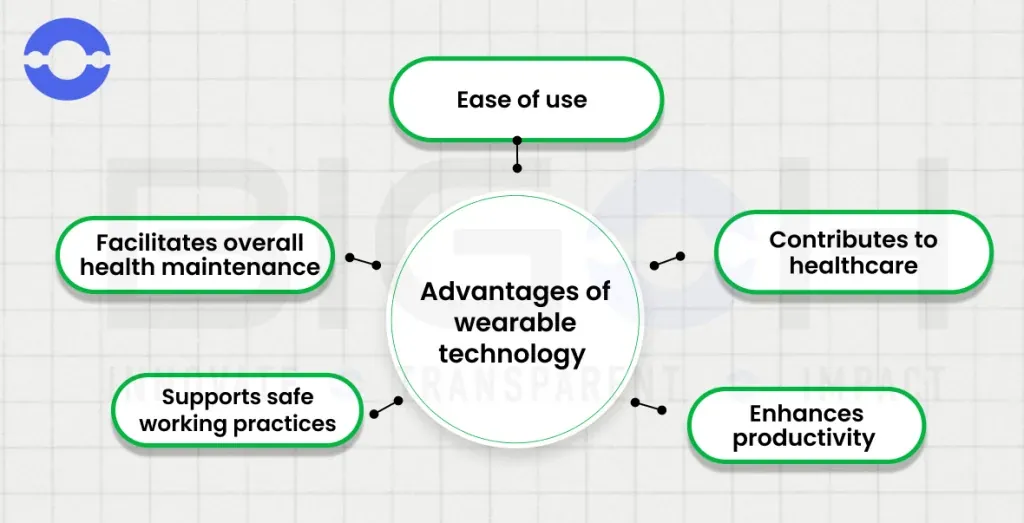
Wearable devices are small electronic sensors worn on the body to collect real-time health data. They’re designed for individuals who want to track their daily movement, sleep quality, or specific heart rhythms throughout the day.
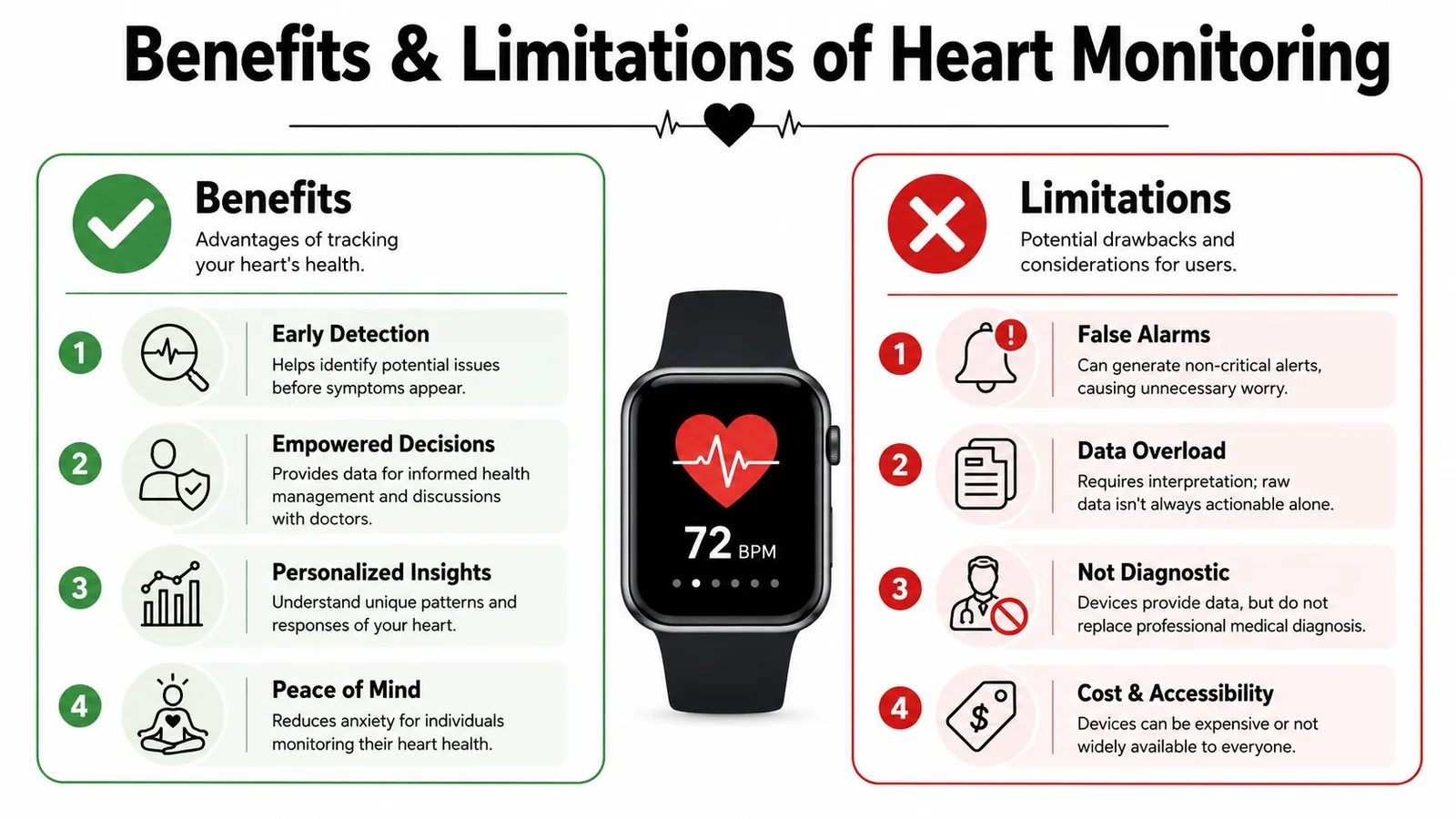
While they provide excellent motivation for exercise, a common misconception is that these tools are medical-grade diagnostic devices. Most consumer wearables are for general wellness only and shouldn’t replace professional medical equipment.
The technology relies on optical sensors, often called photoplethysmography, to detect blood volume changes in the skin. If your device is worn too loosely, the sensor can’t capture a clear signal, leading to inaccurate data.
Darker skin tones absorb more green light, which most wrist sensors use to read pulse. This can cause readings to drop out during high-intensity intervals when blood flow shifts away from the wrist.
A snug fit about one finger-width above the wrist bone solves most signal loss. Moving the band higher places it over tissue with steadier blood flow and less motion interference.
For those with specific health conditions, these devices can act as a useful secondary check. They don’t replace the need for regular checkups with a doctor.
Single-lead electrocardiogram sensors built into some watches catch atrial fibrillation better than optical sensors alone. They require you to hold still and press a finger against the crown for thirty seconds.
If you need continuous rhythm monitoring while running or sleeping, a chest strap using electrical signals will outperform any wrist-based optical tool.
How to use your tracker effectively
To get the most out of your device, you must follow a consistent routine for setup and maintenance.
- Adjust the strap so it’s snug against your skin, but not tight enough to leave deep marks or restrict blood flow.
- Sync the device with your smartphone app at least once every 24 hours to ensure data is stored and analyzed correctly.
- Clean the sensor area on the back of the device every 3 days using a soft, dry cloth to remove sweat and skin oils.
- Set realistic daily goals within the app, such as 7,000 steps or 7 hours of sleep, to avoid burnout.
- Charge the battery when it reaches 20% to prevent the device from shutting down during critical tracking periods.
- Review your weekly trends rather than obsessing over hourly spikes, as daily variations are often caused by minor environmental factors.
If you find that your device consistently reports numbers that don’t match your physical state, check the manufacturer’s manual for sensor calibration steps. If the device remains inaccurate, consult your physician, as you may require professional diagnostic tools to monitor your health.
Key metrics and device settings
| Situation | What to use | How long | What to watch for |
|---|---|---|---|
| Daily activity | Wrist-worn tracker | All day | Steps and active minutes |
| Sleep tracking | Lightweight band | Nightly | Time spent in deep sleep |
| Heart health | ECG-enabled watch | As needed | Irregular rhythm alerts |
| High intensity | Chest strap monitor | During workout | Accurate pulse tracking |
| General wellness | Smart ring | 24/7 wear | Recovery and stress levels |
These settings assume the user is healthy and using the device for general fitness. If you have a diagnosed heart condition, the U.S. Food and Drug Administration provides guidance on how they regulate low-risk wellness devices versus medical-grade monitors. Always check your specific model’s manual, as battery life and sensor sensitivity vary significantly between brands.
Achieving consistent and reliable results
Experienced users know that preparation and placement are the keys to success. They ensure the sensor is placed on the non-dominant wrist to reduce interference from constant movement. Before a workout, they confirm the device is fully charged and the software is updated. These small habits prevent data gaps that occur when a device runs out of power or loses its connection to the phone.
Fit matters as much as placement. A band loose enough to slide during a run lets ambient light reach the optical sensor. That stray light registers as sudden heart rate spikes that never actually happened. Snug it down until you feel gentle pressure, but not so tight that it leaves a deep red mark after an hour.
The most important habit is ignoring the “noise.” A single high heart rate reading after a cup of coffee is rarely a sign of a health crisis. Instead, look for consistent patterns over a two-week period. If you notice a persistent change in your resting heart rate or sleep quality, that’s the time to look deeper into your lifestyle or speak with a professional.
Context determines whether a shift means anything at all. A resting heart rate climbing five beats over three days might signal overtraining if you ran hard all week. The exact same climb could simply reflect poor sleep or fighting off a mild cold. Compare your biometric shifts against what you actually did those days before changing your routine.
Solving common device errors
| What you notice | What it usually means | What to do first |
|---|---|---|
| No heart rate data | Sensor is blocked | Clean the back of the device |
| Data sync failure | Bluetooth connection lost | Restart both phone and device |
| Inaccurate step count | Arm movement issues | Switch the device to the other wrist |
| Rapid battery drain | Background app activity | Turn off high-frequency tracking |
If you see no heart rate data, wipe the sensor with a soft, dry microfiber cloth. Sweat and skin oils create a film that blocks light transmission. If the sensor remains dark, check that the band is snug enough to prevent light gaps.
For sync failures, toggle your phone’s Bluetooth off for ten seconds before reconnecting. If the app still stalls, check for pending firmware updates. An outdated app version often fails to handshake with the latest device software.
When step counts seem inflated, you’re likely using your dominant hand for tasks like brushing teeth or typing. Move the device to your non-dominant wrist to filter out these false positives. If you wear it on your dominant side, adjust the app settings to “Non-dominant” to recalibrate the sensitivity.
Battery drain often stems from constant GPS polling. If your device dies in under 12 hours, disable “Always-on” display and high-frequency heart rate sampling. These features consume 30% more power than standard interval tracking. If the battery still drops rapidly after these changes, a background process is likely hung. Perform a factory reset to clear the cache and restore normal power consumption.
Understanding the legal and safety limits
Wearable health tools operate under strict guidelines. Most consumer-grade trackers aren’t registered as medical devices, meaning they haven’t undergone the same rigorous clinical testing as hospital equipment. If a device provides a health alert, it’s intended to prompt a conversation with a doctor, not to serve as a self-diagnosis.
If you’re using a device to track a known health condition, you must verify that your specific model is cleared for that purpose. Check the manufacturer’s documentation for an FDA 510(k) clearance number if you intend to use the data for clinical monitoring. Without this designation, the device is legally classified as a wellness tool rather than a diagnostic instrument.
Never ignore symptoms like chest pain or dizziness just because your wearable displays a “normal” reading. Always prioritize your physical sensations over the data shown on your screen. A common mistake is assuming that a lack of an alert means a lack of an issue.
Sensors often fail to capture irregular rhythms if the device is loose or if the user is moving. If you feel unwell, treat the device as a secondary source. When your body signals distress that contradicts your digital dashboard, trust your biology over the battery.
Maintaining your wearable device
To keep your device working for years, focus on proper storage and hygiene. When you aren’t wearing it, store the device in a cool, dry place away from direct sunlight. High temperatures can cause the internal adhesive seals to soften, leading to moisture ingress that ruins sensitive electronics.
If you use the device for swimming, rinse it with fresh water immediately after to remove salt or chlorine, which can degrade the seals. Don’t use soap or detergent during this rinse, as the chemicals can strip away the protective coating on the screen. Gently pat the device dry with a microfiber cloth rather than letting it air dry, which prevents mineral deposits from hard water building up on the charging pins.
Most devices will show signs of wear, such as a fading screen or a battery that no longer holds a charge for a full day. If the battery performance drops below 80% of its original capacity, it’s usually time to consider a replacement. Always check the battery health settings in your app to see if the system reports a specific limit for your model.
Many users make the mistake of leaving their device on the charger overnight, which accelerates chemical aging in lithium-ion cells. Aim to keep your battery between 20% and 80% for the longest lifespan. If you notice the device feels warm to the touch while charging, remove it immediately; heat is the primary enemy of long-term battery health.
Choosing the Right Wearable Health Technology
Some people find that constant tracking increases their anxiety rather than improving their health. If you find yourself checking your wrist every few minutes, this approach is the wrong choice for you. In these cases, it’s better to use a simple pedometer or a manual log to track your progress without the pressure of constant data.
Others may require medical-grade monitoring that a simple consumer watch can’t provide. If your doctor has requested specific heart rate or blood pressure data, they will often provide a prescription for a clinical-grade monitor. Don’t rely on your personal watch for information that your medical team needs for treatment decisions.
The decision to use health technology depends on whether the data helps you reach your goals or creates unnecessary worry. If you choose to use these tools, treat them as a supportive guide rather than a final authority on your well-being. By maintaining your device well and focusing on long-term trends, you can use these tools to build a better understanding of your daily health.
[…] technology relies on specific hardware components to gather biological data, and without accurate inputs the software […]