

Most standard portable tracking devices last between 3 and 10 days on a single charge, though the exact gps tracker battery life explained by your specific hardware depends heavily on how often the unit sends its location. High-frequency reporting drains energy rapidly, while “sleep” modes extend operation for weeks or even months. This guide covers the factors that change these numbers, helping you predict how long your device will stay active before it needs a power source.
Why your tracker battery loses life
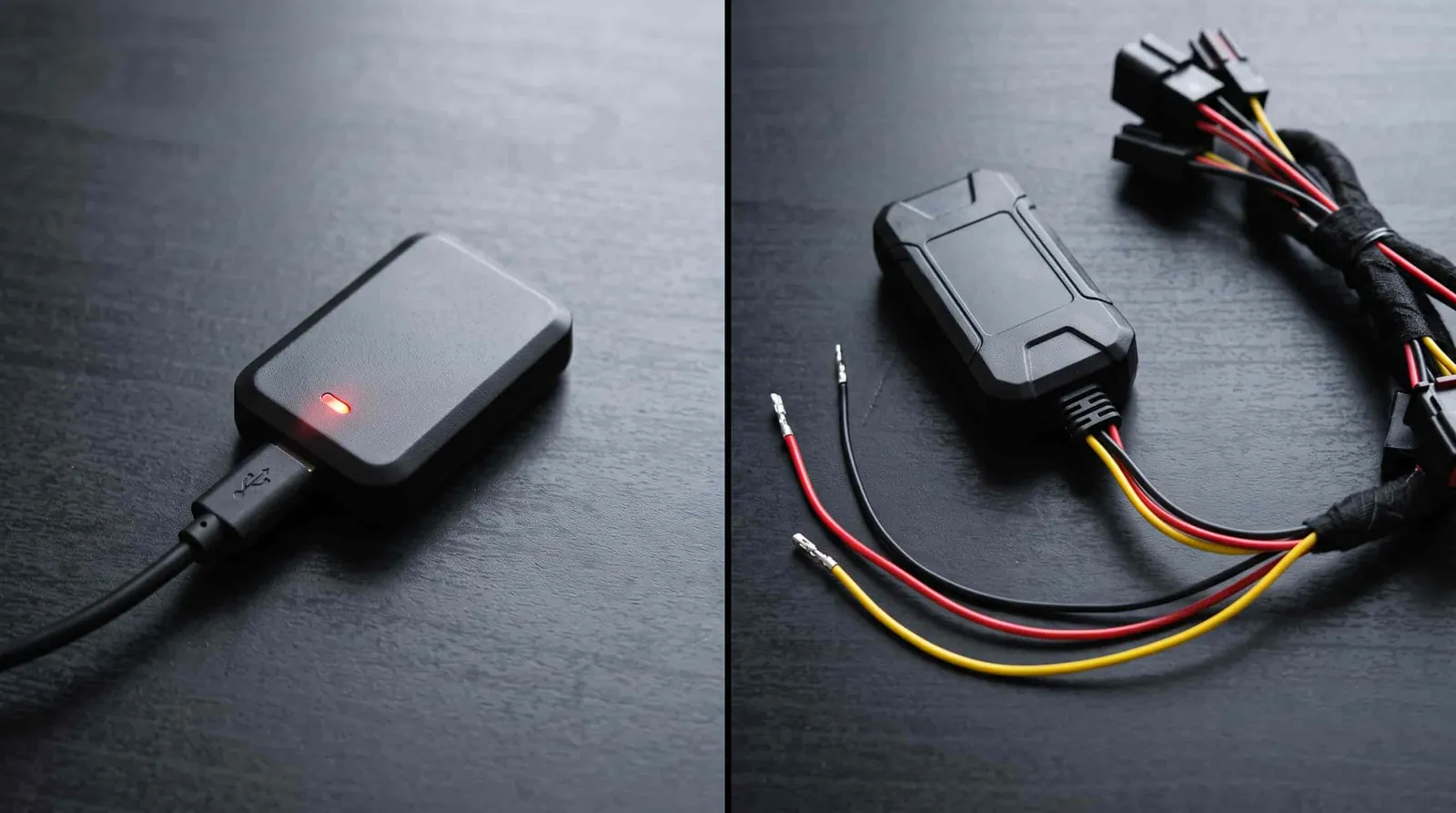
A tracker is essentially a small computer that uses two main technologies: a GPS receiver to find its location and a cellular or satellite radio to send that data to a server. Every time the device “wakes up” to transmit a coordinate, it consumes a burst of battery power. The more often it performs this task, the faster the internal lithium-ion cell depletes.
Most people assume that the battery capacity is the only factor, but the transmission frequency is the real driver of longevity. A device set to update every 5 seconds will die significantly faster than one configured to update every 30 minutes. If your tracker is in an area with poor cellular signal, it will use even more energy as it repeatedly attempts to connect to the network to send its data.
Steps to maximize your device performance
To get the most out of your battery, you must adjust the reporting settings to match your actual needs. Follow these steps to balance location accuracy with power consumption:
- Adjust the reporting interval: Log into your device’s web portal or mobile app. Change the reporting frequency from “real-time” or “high-frequency” to a longer interval, such as every 15 or 30 minutes.
- Enable motion-based tracking: Set your device to “sleep” or “standby” mode when it doesn’t detect movement. This ensures the unit only uses power when the vehicle or asset is actually in motion.
- Check your cellular signal: If you use the device in a remote area, the Federal Communications Commission notes that poor coverage forces devices to work harder to maintain a connection, which drains power faster.
- Update your firmware: Manufacturers often release updates that optimize how the device handles its power states. Always use the latest version provided by the company.
- Avoid extreme temperatures: Cold weather significantly reduces the chemical efficiency of lithium-ion batteries. If possible, mount your tracker in a location that stays closer to room temperature.
If you need to recover a stolen asset, set the interval to 1 minute; if you only need to check the location once a day, set it to “once daily” mode to save power.
Typical usage and device expectations
Different hardware is designed for different tasks. A small device hidden in a backpack can’t hold the same battery capacity as a large, magnetic unit designed for heavy machinery.
| Situation | Recommended Setting | Typical Battery Life | What to watch for |
|---|---|---|---|
| Real-time tracking | 5-10 second intervals | 1-2 days | Fast drain during movement |
| Standard vehicle use | 5-15 minute intervals | 7-10 days | Signal strength in garages |
| Asset tracking | Once per day | 3-6 months | Deep sleep mode status |
| Long-term storage | Off or heartbeat | 1 year+ | Battery self-discharge rate |
People often leave a tracker on real-time settings while it sits in a parked car. That mistake kills a two-week battery in forty-eight hours. Match the interval to how fast the object actually moves.
If you need to know exactly where a delivery driver is right now, use five-second updates. If you only need to confirm a trailer arrived at a yard overnight, one ping every twelve hours is plenty.
Cold weather cuts lithium battery life faster than most users expect. A tracker lasting ten days in summer might give you six in freezing temperatures. Keep the unit out of direct wind when mounting it outdoors.
Metal roofs and concrete parking garages block signals entirely. The tracker keeps searching for satellites and drains power doing it. Mount the antenna facing the sky whenever the housing allows it.
Check your deep sleep status before storing a device for winter. A unit left pinging hourly will arrive dead in spring. Switch it to heartbeat mode so it wakes just once each week.
Details that separate good results from bad

Experienced users know that preparation is the key to long-term reliability. Before you deploy a tracker, charge it fully to 100% capacity. Many people make the mistake of plugging the device in for only an hour, which leaves the battery at a partial charge; this makes it impossible to know if the device will last through your intended trip.
Lithium cells also need time to settle after reaching full voltage. This tops off the final percentage points that the charging circuit can’t detect immediately.
Another detail involves the initial test phase. Experienced users set their trackers to a high-frequency mode for the first 24 hours to ensure the device is communicating correctly with the server. Once they confirm the data is arriving, they switch to a power-saving mode. This prevents the frustration of returning to a tracker that stopped working because it was never configured properly in the first place.
High-frequency mode pings the network every ten seconds instead of every five minutes. That constant connection proves the SIM card has locked onto a tower and the account credentials are valid.
A tracker left on high frequency will drain its battery three times faster than expected. Switch it manually before the device leaves your desk. Automated schedules often fail during the first deployment because the internal clock hasn’t yet synced with the network time.
Mounting position changes signal strength more than any software setting can. Place the antenna facing the sky rather than burying it under metal panels. Steel roofs block cellular signals entirely, while fiberglass and plastic allow them to pass through without measurable loss.
Troubleshooting common power issues
If your tracker seems to be dying faster than expected, compare your symptoms with these common causes.
| What you notice | What it usually means | What to do first |
|---|---|---|
| Battery dies in hours | High-frequency mode is on | Check app settings |
| Rapid drain in cold | Low temperature stress | Move to a warmer spot |
| Device stays “awake” | No motion sensor signal | Check mount stability |
| Won’t hold charge | Battery degradation | Contact manufacturer support |
Most users mistake a failing cable for a failing battery. If your device refuses to charge even after an hour, swap the charging cable before assuming the internal cell is dead. A frayed wire often provides enough current to trigger a charging light but fails to deliver the steady voltage required to actually fill the battery.
If you notice the battery level jumping by more than 10% instantly after a reboot, the software is likely miscalculating the remaining capacity. Perform a full discharge until the device shuts off completely, then charge it to 100% without interruption. This recalibrates the internal fuel gauge.
If you operate in extreme environments, expect a 20% reduction in total runtime once ambient temperatures drop below freezing. Lithium-ion chemistry slows down significantly in the cold, causing the voltage to sag prematurely. If your device is exposed to these conditions daily, keep it tucked inside an inner pocket rather than mounted on an exterior surface.
If the device drains overnight while stationary, check if it’s resting on a vibrating surface. Constant micro-vibrations keep the motion sensor active, preventing the unit from entering its deep-sleep state. Move the device to a stable, static location to see if the overnight drain stops.
Rules for safe battery handling
Lithium-ion batteries are sensitive components that require specific care to remain safe. Never attempt to replace a sealed internal battery yourself, as puncturing the casing can lead to fire or chemical leakage. If your device is damaged, swollen, or smells like burning plastic, stop using it immediately and contact the manufacturer for guidance on proper disposal.
Check for physical deformation every three months. If the casing shows even a slight bulge or the screen begins to lift, the battery has likely begun to off-gas. At this stage, the risk of thermal runaway is high. Place the device in a non-flammable container, such as a metal tin, and move it away from curtains or paper. Don’t attempt to charge a swollen battery, as the added heat will accelerate internal breakdown.
Most manufacturers follow guidelines similar to the Environmental Protection Agency regarding the recycling of these power cells. Don’t throw your tracker in the regular trash, as the battery can be a fire hazard in garbage trucks or processing centers.
Tape the metal contacts of the battery with clear plastic tape before transport. This prevents short-circuiting if the terminals touch other metallic objects, which is a common cause of battery fires during transit. Always take the unit to a certified electronics recycling facility once it reaches the end of its functional life. If you’re unsure if a facility accepts lithium-ion, call ahead. Never leave batteries in a drop-off bin that’s located inside a building or near high-traffic areas.
Maintaining your device after deployment
Once your tracker is in place, you should check the battery level in your management app at least once a week. If the level drops below 20%, it’s time to recharge it. Most modern devices send an automated “low battery” alert to your email or phone when they reach this threshold.
Don’t wait for the notification to act. If you operate in temperatures below 32°F, expect the battery to drain 30% faster than it would in moderate climates. In these cold conditions, check your levels as often as your use demands and follow your owner’s manual to avoid a total power loss.
To keep the battery healthy, avoid leaving the device at 0% for long periods. If you’re storing the tracker for the winter, charge it to about 50% and store it in a cool, dry place. This prevents the battery from falling into a “deep discharge” state, which can permanently reduce its capacity.
Many users mistakenly leave trackers plugged into a power source indefinitely. This constant trickle charge causes internal heat buildup and degrades lithium-ion cells over time.
If you notice the device takes longer to reach a full charge, it’s likely reaching the end of its chemical lifespan. Replace the battery before the device becomes unreliable in the field.
Conclusion
Choosing the right device doesn’t have to feel overwhelming. Think about where you’ll place it and how often you really need updates, then check the manufacturer’s specs for a model that fits your daily routine. You’ll spend less time charging and more time staying connected.
Related guides