

Affordable fitness trackers from Xiaomi, Amazfit, and Fitbit reliably count steps, track sleep, and monitor heart rate for under fifty dollars. The best budget fitness trackers give up built-in GPS and color touchscreens to keep the price low, but they still record the daily movement data most people actually need.
Which Affordable Fitness Trackers Are Worth Buying?
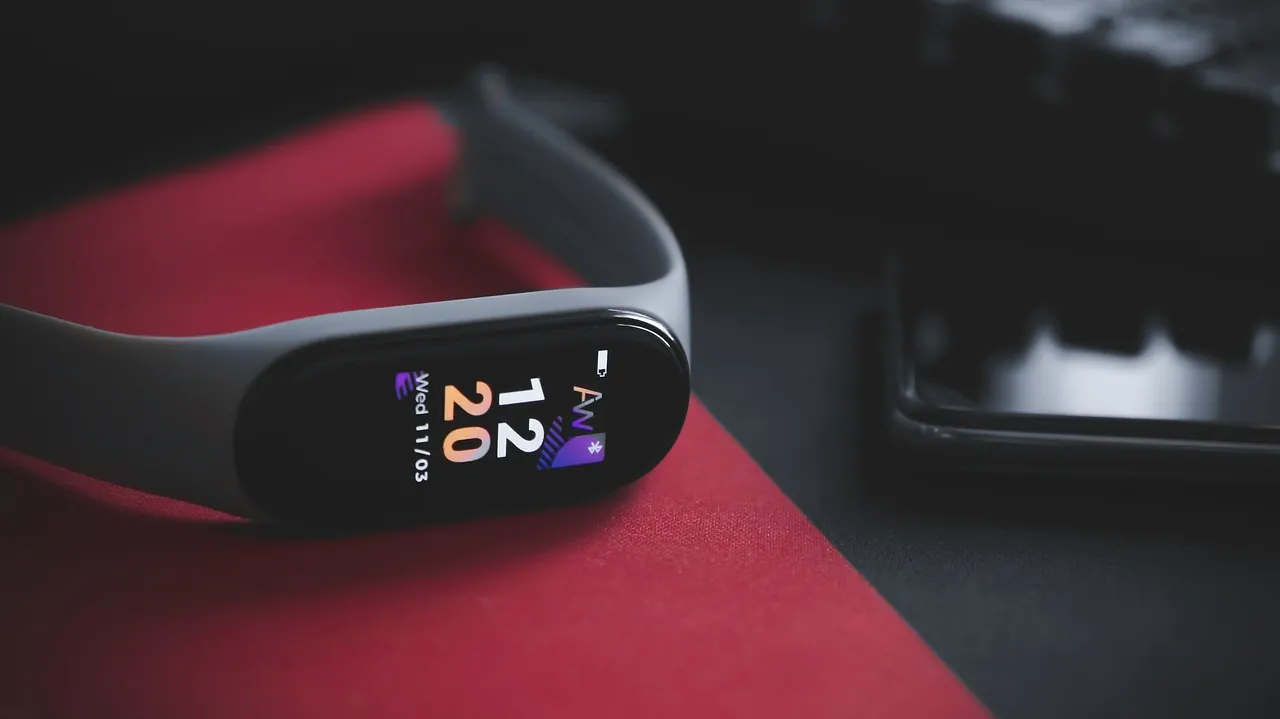
Xiaomi, Amazfit, and Fitbit make the most reliable affordable bands because their sensors are accurate enough for daily use and their batteries last a full week or more. You’ll get continuous heart rate readings, sleep stages, and step counts without paying for features you won’t check every day. These brands also update their companion apps regularly, which keeps older hardware working with new phones.
The trade-off is clear: you sacrifice built-in GPS, detailed workout maps, and bright color screens that work well in direct sunlight. If your main goal is closing daily activity rings rather than training for a marathon, these compromises barely affect your experience. A cheaper band focuses on the basics and does them consistently.
| Tracker | Price Range | Battery Life | Built-in GPS | Water Rating |
|---|---|---|---|---|
| Xiaomi Smart Band 8 | Under $40 | Up to 16 days | No | 5 ATM |
| Amazfit Band 7 | Under $50 | Up to 12 days | No | 5 ATM |
| Fitbit Inspire 3 | Under $80 | Up to 10 days | No | 5 ATM |
A 5 ATM rating means you can wear any of these in the shower or pool safely. That’s the standard you should look for so water doesn’t ruin the device during your first week.
What Features Actually Matter on a Cheap Band?
Step counting, basic sleep tracking, and continuous heart rate monitoring are the three features that justify buying a wearable at this price. Everything else—like blood oxygen sensors or stress scores—is often inaccurate on cheap hardware and rarely changes what you do next. Focus on how well the app displays those three core metrics instead of counting total sensor numbers on the box.
Battery life determines whether you’ll actually wear the thing past the first month. A tracker that needs charging every two days usually ends up sitting in a drawer because plugging it in constantly becomes annoying. Aim for a device that lasts at least seven days on a single charge so you only think about power once a week.
App compatibility is where many buyers get stuck. If your phone is more than four years old, check the manufacturer’s support page before buying to confirm the companion app still runs on your specific operating system version. Fitbit’s help center lists exactly which Android and iOS versions their current devices require, which shows why checking official requirements prevents buying hardware your phone can’t pair with.
Tip: Check the app store on your phone right now to see if the tracker’s companion app requires a newer operating system than you currently have installed.
How Accurate Are Cheap Fitness Trackers?
Budget bands count steps accurately when you’re walking or running at a steady pace. They struggle with activities where your wrists stay still. Pushing a stroller, riding a bike, or lifting weights won’t register correctly. The sensor relies entirely on arm swing to estimate movement. That’s a hardware limitation tied to wrist placement, not a defect you can fix with a software update.
People who wear their tracker on the same wrist they use to push a grocery cart often wonder why their daily totals look low. Switching the device to your non-dominant wrist in the companion app usually helps. It tells the algorithm to expect less motion from that arm during routine tasks.
Heart rate sensors on affordable models work fine while you’re resting or doing light exercise. During intense workouts with rapid movements, the optical sensor loses contact with your skin slightly. This causes delayed or missed readings. If you need exact heart rate zones for serious interval training, a chest strap paired with your phone is the better tool.
Wrist tattoos with heavy black ink block the green LED light these sensors use to detect blood flow. If your tracker consistently drops your pulse during runs, check whether the ink sits directly under the sensor window. Moving the band an inch higher up your forearm often bypasses the problem.
Sleep tracking gives you a useful general picture of how long you slept and how much you moved around. Don’t treat the deep sleep minutes as medical facts. Consumer wearables estimate sleep stages using movement and pulse rather than brain waves. They’re great for spotting patterns over a few weeks, not for diagnosing rest issues.
Is It Better to Buy an Older Premium Model Instead?

Yes, buying a flagship tracker from two or three years ago often gets you better sensors than a brand-new budget model. Older premium devices frequently include built-in GPS, brighter screens, and more durable materials that cheap bands skip entirely to hit their low price point. The hardware inside a former top-tier model doesn’t degrade just because a newer version launched.
The catch is software support. Manufacturers eventually stop updating companion apps for discontinued hardware, meaning an old premium tracker might lose the ability to sync with your phone after a major operating system update. If you buy an older model, verify that its app is still actively maintained and accepting new users before handing over your money.
This route isn’t for someone who wants everything to work perfectly out of the box without troubleshooting. But if you’re comfortable navigating occasional pairing quirks, an older premium band delivers significantly more capability per dollar spent.
Frequently Asked Questions
Why does my cheap tracker show different steps than my phone?
Your phone and tracker use completely different sensors to count movement, so they won’t match exactly. The band tracks wrist motion while the phone tracks pocket motion, meaning carrying groceries or pushing a cart creates different counts on each device. Trust the wearable for consistency since it stays attached to you all day.
Can I swim with an affordable fitness band?
Yes, if the specifications list a 5 ATM water resistance rating. That rating covers swimming in pools and shallow open water, but you shouldn’t press buttons underwater or wear it in a hot tub where heat damages the waterproof seals. Rinse it with fresh tap water after swimming in saltwater or chlorinated pools.
Do I really need a screen on my tracker?
No, screenless bands exist and they offer even longer battery life since lighting up pixels drains power quickly. You simply check your daily stats by opening the app on your phone whenever you want an update. This setup works well if you only care about background tracking and hate charging devices frequently.
Conclusion
Pick the specific tracker from the table that matches your phone’s operating system, then download its companion app before purchasing to confirm your account registers successfully. Once it arrives, wear it snugly one finger-width above your wrist bone for the most reliable pulse readings.
[…] Best Budget Fitness Trackers […]