

The Fitbit Inspire series offers basic activity tracking and sleep monitoring for users who don’t need advanced health sensors or GPS. Current models like the Inspire 3 provide up to 10 days of battery life and core fitness metrics at an entry-level price point. This guide covers model differences, essential features, setup steps, and maintenance tips to help you choose the right tracker without overpaying for functions you won’t use.
Features across the Fitbit Inspire series
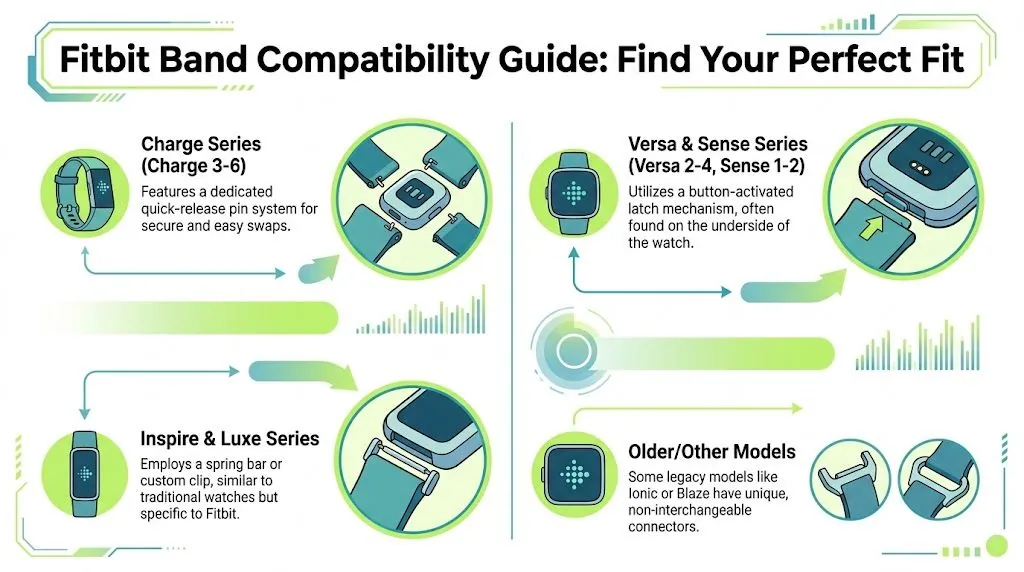
The Fitbit Inspire is a slim wrist-worn tracker designed for daily step counting, sleep tracking, and heart rate monitoring without complex smartwatch features. It’s built for people starting their fitness journey or wanting simple health data without screen clutter or notification overload. The device syncs automatically with the Fitbit app to show trends over time rather than real-time analytics.
A common misconception is that all Inspire models work identically. Older versions lack newer sensors and software support, so checking the specific generation matters before buying used or refurbished units. The current Inspire 3 includes SpO2 monitoring and stress management tools that earlier versions don’t have. If you’re comparing prices, verify which generation you’re getting since feature gaps affect long-term value.
Battery performance varies significantly between generations too. Newer models last longer between charges because of improved power management, while older ones may need charging every five days instead of ten. Check Fitbit’s official specifications for exact battery claims tied to your specific model number before purchasing.
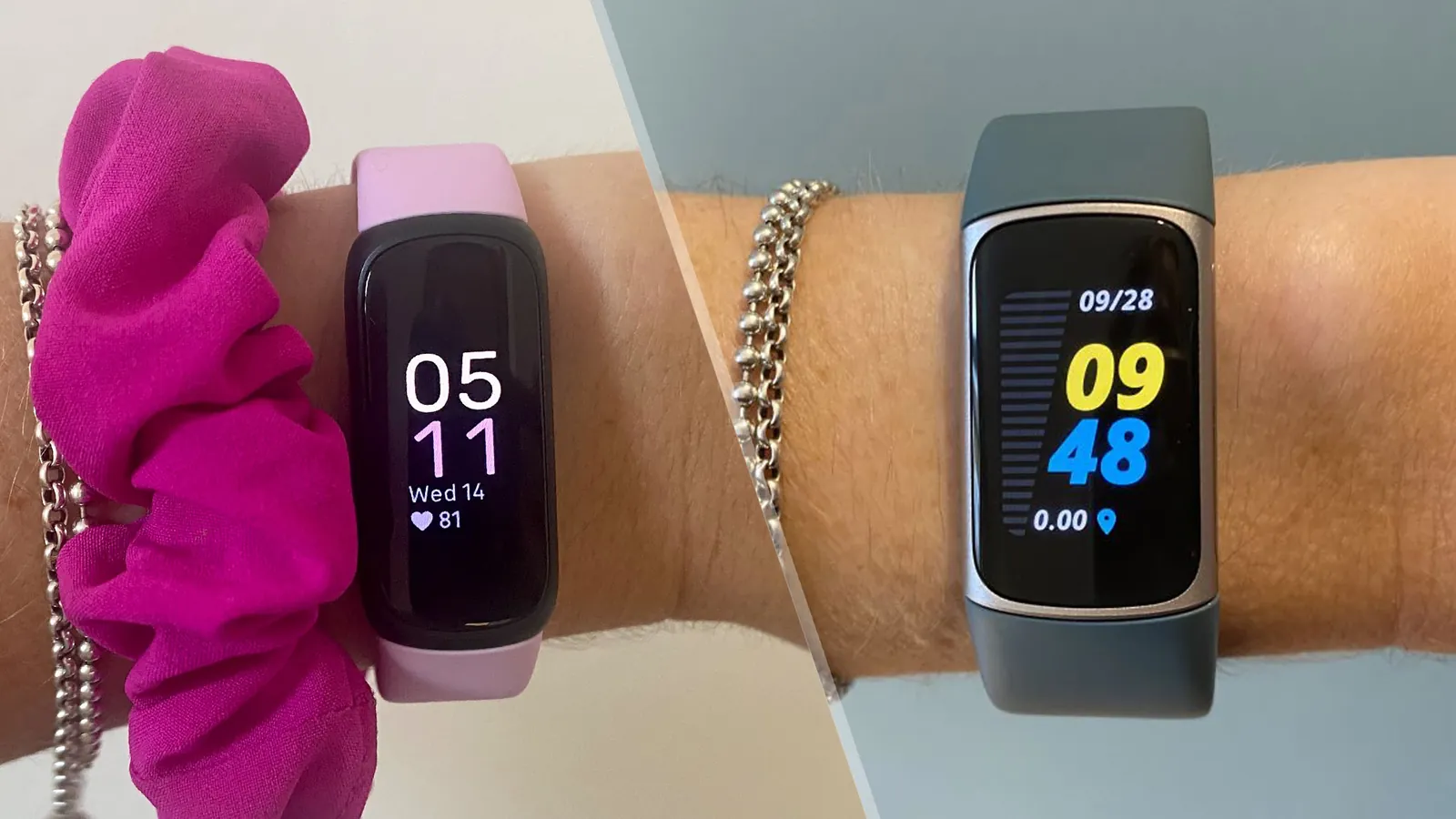
The physical size also changes what you can comfortably wear overnight. The original Inspire measured just under an inch wide across the face. That narrow profile made it disappear during sleep. The Inspire 3 grew slightly wider to fit its color display. Most wrists handle this fine, but very small frames might feel the difference at night.
Software updates follow the same hardware split. Fitbit typically supports the two newest generations with new watch faces and algorithm tweaks. Once your model falls outside that window, your sleep score calculation stops improving even if the company releases better methods for newer bands.
Setting up your new tracker
Getting accurate data from your Fitbit Inspire requires proper initial configuration and personal calibration. Skipping setup steps leads to wrong calorie estimates and unreliable sleep scores that frustrate new users within weeks. Follow these steps in order to establish a working baseline before relying on any metrics.
- Download the Fitbit app and create an account using your real height, weight, age, and gender for accurate metabolic calculations.
- Charge the device fully before first pairing to prevent firmware update failures during the critical initial sync process.
- Enable Bluetooth on your phone and follow the in-app pairing prompts, keeping the tracker within six inches of your device.
- Set your dominant wrist preference correctly in settings since this affects step counting accuracy by up to fifteen percent.
- Wear the band snugly one finger-width above your wrist bone to ensure consistent optical heart rate readings during movement.
- Sync manually after setup completes to confirm data transfer works before wearing it overnight for sleep tracking.
- Customize display options and vibration alerts to match your preferences without draining battery unnecessarily.
The key judgement call involves wrist placement tightness. Too loose causes missed heartbeats during exercise; too tight restricts blood flow and causes skin irritation. Find the middle ground where the sensor maintains contact without leaving marks after thirty minutes of wear. Adjust this fit whenever you switch between rest and activity modes throughout your day.
Key specs and model differences
Choosing between Inspire versions depends entirely on which features matter for your specific tracking goals. Each generation adds sensors or extends battery life, but not every upgrade justifies a higher price for casual users. Compare these specifications against your actual needs rather than marketing highlights.
| Situation | Model to consider | Battery duration | Critical limitation |
|---|---|---|---|
| Basic steps and sleep only | Inspire 2 or older | Up to 10 days | No SpO2 or stress score |
| Blood oxygen and stress tracking | Inspire 3 | Up to 10 days | No built-in GPS or ECG |
| Swimming or showering | Any Inspire 3 | Up to 10 days | Water resistance rated 5 ATM only |
| Budget under fifty dollars | Refurbished Inspire HR | Up to 5 days | Discontinued app support possible |
| Continuous heart rate zones | Inspire HR or newer | Varies by generation | Older HR models lack zone minutes |
| Menstrual health logging | Inspire 3 | Up to 10 days | Requires manual symptom entry |
| All-day stress scanning | Inspire 3 only | Up to 10 days | cEDA sensor absent in older models |
These durations assume standard usage with notifications disabled and always-on display turned off. Enabling frequent syncing or continuous SpO2 monitoring reduces runtime by thirty to forty percent across all models. Always check your specific unit’s firmware version since updates sometimes improve or degrade battery performance unexpectedly.
Getting accurate daily readings
Reliable tracking depends more on consistent wearing habits than sensor technology alone. Experienced users know that data gaps create misleading weekly averages that undermine motivation and progress assessment. Establishing routines around charging and wearing prevents the most common accuracy problems new owners face.
Wear your tracker during sleep every single night to build meaningful baseline trends. Missing even two nights per week makes sleep stage analysis statistically unreliable and resets recovery insights. Charge the device during your morning routine or evening wind-down period when you’re stationary anyway, rather than forgetting mid-day and losing afternoon data entirely.
Position matters as much as consistency for heart rate accuracy. During workouts, move the band slightly higher and tighter than your resting position to reduce motion artifacts from arm swings. After exercising, return it to the comfortable resting position to avoid skin irritation from prolonged pressure. Clean the sensor area weekly with mild soap and water since sweat buildup degrades signal quality gradually over months of use.
Don’t trust step counts blindly if you push strollers or shopping carts regularly. The accelerometer interprets steady pushing motions as steps, inflating daily totals by thousands. Use manual exercise logging for these activities instead of relying on automatic detection, or accept that your step metric includes non-walking movement and adjust goals accordingly.
Troubleshooting common issues
Most Inspire problems stem from simple fixes rather than hardware defects. Identifying the root cause saves unnecessary returns and restores functionality quickly without technical support delays. Match your symptom to the solution below before assuming the device is broken.
| What you notice | Likely cause | First action to try |
|---|---|---|
| Won’t sync with phone | Bluetooth cache corrupted | Toggle phone Bluetooth off/on and restart app |
| Heart rate shows dashes | Band too loose or dirty | Tighten one notch and clean sensor with damp cloth |
| Step count seems high | Pushing objects or typing | Log those activities manually and ignore auto-count |
| Sleep stages missing | Wore device too loosely | Reposition snugly above wrist bone next night |
| Battery drains fast | Always-on display enabled | Disable AOD and reduce notification frequency |
| Screen stays black | Firmware crashed during update | Connect charger and hold button for fifteen seconds |
If restarting and cleaning don’t resolve sync issues, unpair the device from your phone’s Bluetooth settings completely before re-pairing through the app. This clears stale connection profiles that cause intermittent failures. For persistent heart rate errors despite proper fit, test the sensor against another person’s wrist to isolate whether the problem is your anatomy or the hardware itself.
Safety and compliance standards
Fitbit Inspire devices comply with international safety regulations for wearable electronics sold in major markets. The U.S. Food and Drug Administration classifies these trackers as general wellness products, not medical devices, meaning they aren’t validated for diagnosing conditions or guiding treatment decisions. Never substitute tracker data for professional medical advice regarding heart rhythm abnormalities or sleep disorders.
Water resistance ratings apply only to fresh water exposure at specified depths and durations. Chlorine, saltwater, soap, and hot tub chemicals can degrade seals faster than manufacturer testing accounts for. Rinse thoroughly after pool or ocean exposure and dry completely before charging to prevent corrosion damage that voids warranty coverage.
Skin reactions occur in sensitive individuals despite hypoallergenic materials. Remove the device immediately if redness, itching, or rash develops and allow skin to heal fully before resuming wear. Switching bands to silicone-free alternatives or wearing the device on alternating wrists often resolves mild irritation without permanent discontinuation. Report severe reactions directly to Fitbit’s safety team since individual cases inform future material selections.
Maintaining your device long-term
Proper care extends functional lifespan well beyond typical upgrade cycles. Neglect accelerates battery degradation and sensor failure, turning affordable trackers into disposable waste prematurely. Simple habits preserve both performance and resale value for eventual upgrades.
Clean the band and sensor weekly with mild soap and lukewarm water, avoiding harsh chemicals that break down adhesives. Dry thoroughly before wearing or charging since trapped moisture causes skin irritation and internal corrosion. Store unused devices charged to fifty percent in cool, dry conditions since full discharge during storage permanently damages lithium batteries.
Replace worn bands proactively before they snap during activity and drop your tracker. Third-party bands cost fractionally less than originals but verify compatibility carefully since ill-fitting replacements compromise sensor accuracy. Monitor battery health through the app’s device settings menu where cycle count indicators reveal remaining capacity before unexpected shutdowns begin occurring.
Software updates occasionally introduce bugs alongside improvements. Wait several days after release announcements before updating, allowing early adopters to report critical issues. If an update breaks functionality you depend on, delay subsequent updates until patch notes confirm fixes rather than risking compounded problems during important tracking periods.
When other trackers fit better
The Inspire series serves specific needs poorly despite its strengths elsewhere. Recognizing these limitations upfront prevents buyer’s remorse and wasted money on devices that can’t deliver what you actually require. Consider alternatives when your priorities fall outside the Inspire’s design scope.
If you need built-in GPS for running without carrying your phone, look at Fitbit’s Charge or Versa lines instead. The Inspire relies entirely on connected GPS through your phone, making solo outdoor runs impossible to map accurately. Similarly, anyone requiring electrocardiogram readings or irregular rhythm notifications must choose FDA-cleared devices since the Inspire lacks necessary sensors entirely.
Users wanting smartwatch functionality like apps, music storage, or voice assistants will find the Inspire frustratingly limited. Its small monochrome display and minimal processing power prioritize battery life over versatility. Choose Garmin, Apple Watch, or Samsung Galaxy Watch models if communication and media features matter as much as fitness tracking. The trade-off is shorter battery life and higher cost, but you gain capabilities the Inspire physically can’t provide regardless of software updates.
[…] 3 is the entry-level tracker for people who want simple step and sleep data without complex health metrics. It suits beginners or older adults who don’t need GPS, […]