

Fitness tracker accuracy varies by sensor: step counts are generally reliable on flat ground, heart rate readings stay within a few beats per minute during steady exercise but lag behind fast intervals, and calorie burn estimates are often off by a wide margin.
How Reliable Are Fitness Tracker Readings?
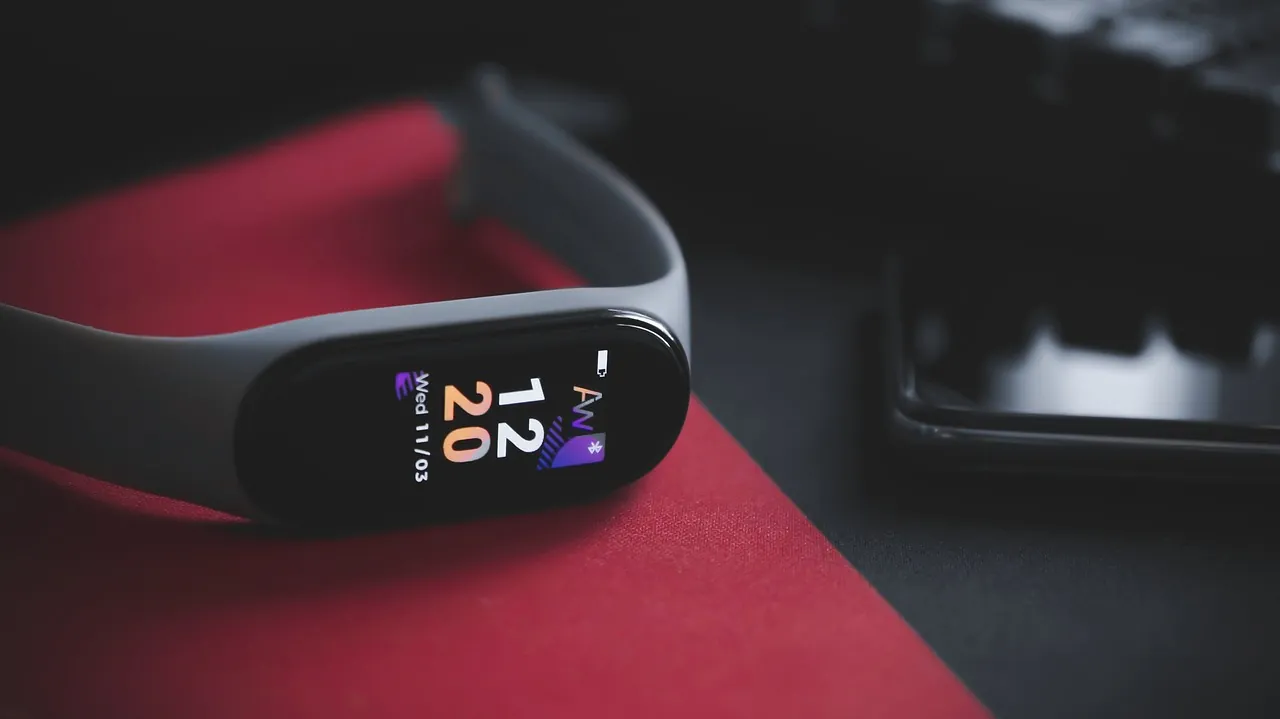
Step counting is the most dependable feature you’ll find on these devices. When you walk or run at a normal pace on flat ground, your wrist-worn device usually matches your actual steps closely. The sensors inside pick up the rhythmic swinging motion of your arm and count each swing as a stride.
Heart rate tracking works differently. A green light shines into your skin to detect blood flow changes under the surface. This method handles steady activities like jogging or cycling quite well. If you’re doing heavy lifting or fast sprints where your pulse jumps suddenly, the reading will fall behind what your heart is actually doing.
Calorie estimates carry the biggest gap between what the screen shows and what your body actually burns. These numbers come from formulas using your height, weight, age, and movement data. Because the device can’t measure your exact metabolism, treat the calorie number as a rough guide rather than a fact.
| Metric | Reliability level | Where it struggles most |
|---|---|---|
| Step count | High | Pushing a stroller or cart |
| Heart rate | Moderate | Heavy lifting or fast sprints |
| Calorie burn | Low | Any activity involving upper body only |
| Sleep stages | Low to moderate | Lying awake very still in bed |
Which Activities Throw Off the Sensors?
The way you move your arms directly changes how the device reads your effort. If your wrists stay still while your legs work hard, the sensors miss that activity entirely. You’ll see this clearly when comparing different types of workouts throughout your week.
Pushing a shopping cart or a baby stroller keeps your arms locked in place. Your legs are walking, but the device won’t register those steps because your wrist isn’t swinging back and forth. You might finish a long grocery trip and notice your daily count barely moved at all.
Cycling presents a similar problem for step counters. Your hands grip the handlebars without moving much, so the device thinks you’re sitting completely still even though your heart rate is climbing and your legs are spinning fast. That’s why relying on steps alone gives you an incomplete picture of your daily movement.
Weightlifting confuses the optical heart rate sensor. Gripping a heavy barbell tightens your forearm muscles, which restricts blood flow right where the green light tries to read your pulse. The number on your screen might drop or freeze during a heavy set, even though your heart is working harder than ever.
Tip: If your main exercise involves holding onto something tightly or keeping your arms still, wear the device slightly higher up your forearm where the muscles flex less.
Is It Safe to Rely on These Numbers for Health Decisions?
No, consumer fitness bands aren’t medical devices and shouldn’t replace professional equipment. They’re built to show general trends over days and weeks, not to diagnose conditions or guide medication dosages. A sudden spike or drop on your screen doesn’t mean something is wrong with your heart.
If you notice an unusual reading that worries you, check it against how you actually feel rather than panicking over the screen. The US Food and Drug Administration explains the difference between consumer wellness devices and regulated medical tools on their official guidance page. Devices cleared for general wellness aren’t held to the same testing standards as hospital monitors.
This matters most for people managing heart conditions or taking medications that affect their pulse. Don’t change your routine based solely on what your wristband says. If your doctor asks for your resting heart rate, they’ll want a proper measurement taken with clinical gear, not a weekly average pulled from an app.
What Actually Changes the Accuracy You Get?
How you wear the band shifts the readings more than the price tag does. A loose strap lets outside light leak under the sensor, which scrambles the heart rate data. If it slides up and down your wrist while you sweat, the device constantly loses its signal and fills the gaps with guesses.
Skin tone and tattoos also play a role. Darker ink directly over the sensor blocks the green light from reaching your blood vessels. People with darker skin tones sometimes see slightly less consistent heart rate data because melanin absorbs some of the light before it bounces back to the reader.
Your personal profile settings inside the companion app form the baseline for every calculation. If you entered your weight long ago and haven’t updated it since, your calorie math starts from the wrong number. Height, age, and biological sex all feed the formula that turns raw movement into estimated energy burned.
The trade-off here is comfort versus precision. Strapping the band tight enough for perfect sensor contact feels annoying after a few hours, especially while you sleep. You have to decide if you want the cleanest possible data or a device you’ll actually keep wearing all day.
This setup isn’t for someone who needs exact clinical measurements for a specific health condition. It’s built for healthy adults looking for motivation and general patterns. If you need precise output numbers for athletic training or medical reasons, you’ll outgrow a standard wristband quickly.
Frequently Asked Questions
Do cheaper fitness bands give worse readings than expensive ones?
Not always for basic tasks. Step counting relies on a simple motion sensor that costs very little to produce, so budget models track walking just fine. The real gap shows up in heart rate monitoring, where pricier models use better lights and faster processors to catch quick pulse changes.
Can I wear my tracker on my ankle instead of my wrist?
Yes, if you buy a separate fabric pouch designed for ankle wear. Moving it to your ankle fixes the stroller-pushing problem because your leg swings normally while you walk. However, the heart rate sensor won’t work there since it’s calibrated specifically for the thinner skin on your wrist.
Why does my sleep score look wrong when I read in bed?
The device uses your lack of movement and dropping heart rate to guess when you’ve fallen asleep. If you lie perfectly still reading a book, the sensors assume you’re already in light sleep. There’s no button to tell it you’re awake but resting quietly.
Conclusion
Check your app settings today and update your current weight, height, and age so the formulas start from the right baseline. Focus on whether your weekly trend line moves in the direction you want instead of stressing over a single day’s exact numbers.