

Most modern consumer devices that record your nightly rest are reasonably accurate at measuring total sleep time, though they often struggle to distinguish between light and deep sleep stages. These wearable sleep trackers: features and limitations vary based on the sensors used, such as accelerometers for movement and optical sensors for heart rate. You should view the data as a general trend indicator rather than a medical diagnosis. This guide covers how these devices calculate your rest, where they fail, and how to interpret the numbers they provide.
How wearable sleep trackers feature technology
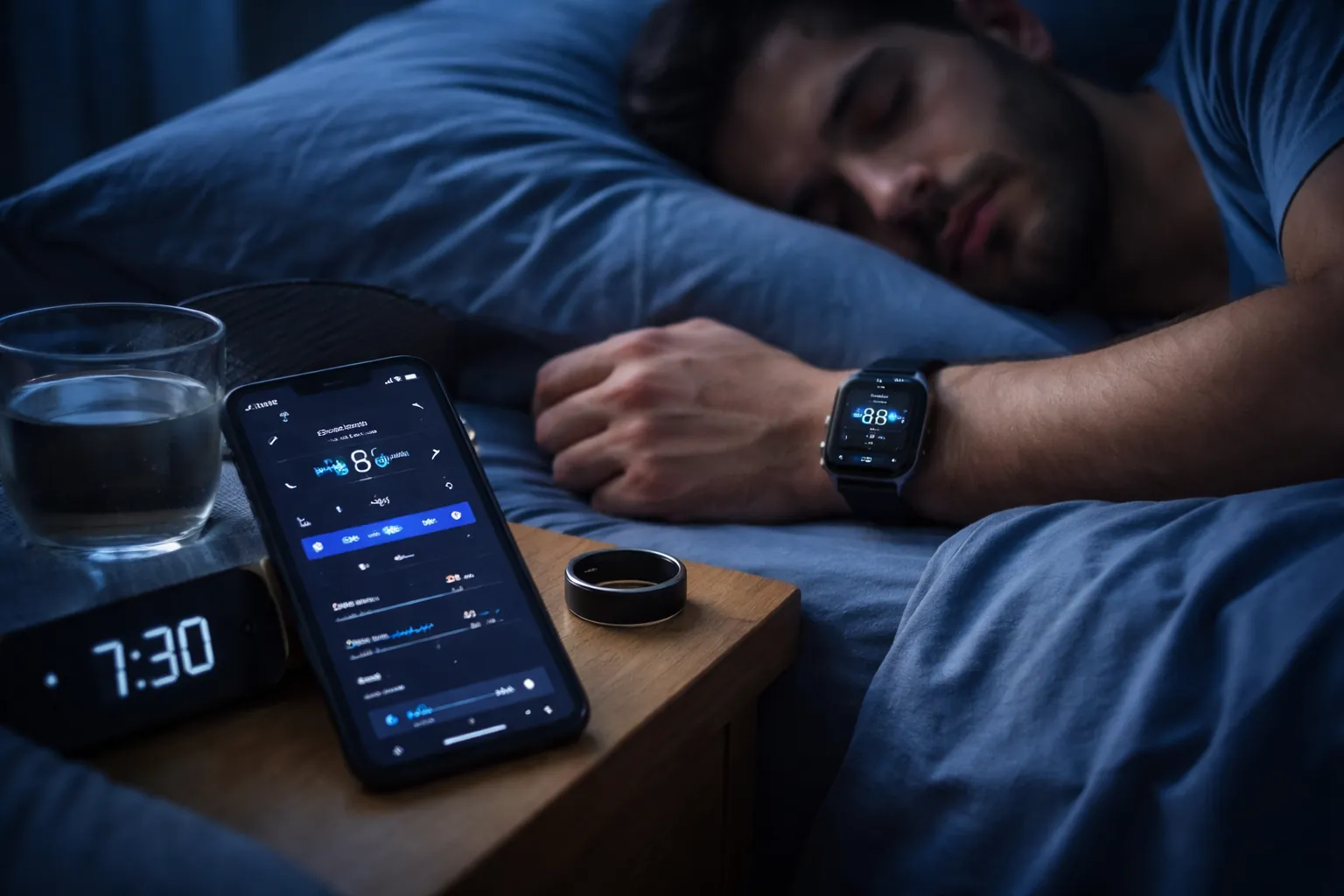
These gadgets use small sensors to monitor your body while you remain still. Most rely on actigraphy, which uses an accelerometer to detect movement patterns that differentiate between being awake and being asleep. Some models add optical heart rate sensors to track your pulse, which can help estimate the transitions between different sleep cycles.
The core misconception is that these devices read your brain waves like a clinical sleep study. In reality, they’re estimating your sleep based on proxy data like movement and heart rate variability.
A study published by the National Institutes of Health confirms that consumer devices often overestimate total sleep time, especially for people who stay in bed while awake but still. They work best for people with consistent routines who want to track long-term changes rather than someone seeking a precise medical breakdown of their REM cycles.
How to use your tracker effectively
Follow these steps to get the most consistent data from your device:
- Wear the band snugly on your non-dominant wrist, about one finger-width above the wrist bone, to ensure the optical sensor maintains good contact with your skin.
- Charge the device fully before you go to bed, as a low battery can trigger power-saving modes that stop heart rate monitoring throughout the night.
- Keep your device’s software updated through the manufacturer’s app to ensure the latest sleep-stage algorithms are active.
- Sync the data within 2 hours of waking up to prevent memory buffers from overwriting older logs.
- Set your sleep window in the app to match your typical bedtime so the device knows when to start high-frequency sampling.
- Clean the sensor back with a soft, dry cloth every morning to remove sweat or oils that can block the light sensors.
If you notice the device records sleep while you’re just watching television, manually adjust the sleep start time in the app settings. For people who work night shifts, ensure the device is set to “24-hour tracking” rather than a rigid night-only schedule, or it will miss your primary rest period entirely.
Key metrics and device settings
Tracking your rest requires understanding how different settings impact your results.
| Situation | What to use | How long | What to watch for |
|---|---|---|---|
| Normal sleep | Wrist-based band | 7–9 hours | Unusual spikes in heart rate |
| Daytime nap | Dedicated nap mode | 20–60 minutes | Auto-detection failure |
| Heavy exercise | Chest strap sync | N/A | High resting heart rate |
| Travel | Time zone lock | 24 hours | Sync errors during flight |
| Low battery | Low power mode | < 10% charge | Lost data segments |
This assumes a standard healthy adult; for those with diagnosed sleep disorders, allow for significant variance in accuracy, as these devices aren’t calibrated for medical conditions.
Improving your tracking accuracy
Experienced users know that the secret to better data is consistency in how they wear the device. If the band is too loose, the heart rate sensor will capture “noise” rather than your pulse, which makes the sleep stage graph look erratic. They also avoid charging the device right before bed, as the heat generated by charging can sometimes influence the temperature sensors found in newer models.
A band that feels snug while you’re standing often shifts during the night. Tighten it one notch past your daytime comfort setting when you get into bed. Place the sensor about one finger width above your wrist bone. This spot has less tissue between the light and your artery.
The order in which you sync matters, too. Always check that the app is connected to your local network before you open the dashboard. If you check your sleep score while the app is still syncing, you might see a partial report that doesn’t include your full night. Leave the app alone for 60 seconds after opening it to ensure the cloud data has fully populated the screen.
Wearing the tracker on your dominant hand introduces extra movement artifacts. Switch it to your non-dominant wrist if your device settings allow manual placement selection. The software expects fewer random gestures from that arm. It stops misreading those twitches as brief awakenings.
Skin lotions leave a film over the optical window. Wipe the back of the device with a dry cloth every evening.
Identifying common tracking errors
Sometimes your device will show data that doesn’t match how you feel. Use this table to troubleshoot.
| What you notice | What it usually means | What to do first |
|---|---|---|
| Zero sleep recorded | Sensor contact issue | Tighten the strap |
| Constant “awake” time | High nighttime movement | Check sleep window settings |
| Late start time | Device was charging | Sync immediately upon waking |
| Impossible sleep stages | Sensor blockage | Clean the back lens |
If your heart rate remains flat during a workout, the sensor is likely struggling with motion artifacts. Slide the watch two finger-widths above your wrist bone to ensure the sensor stays seated against your skin. If the data still appears erratic, check for a thin film of sweat or sunscreen on the lens. A quick wipe with a microfiber cloth restores accuracy instantly.
Most users make the mistake of adjusting their device settings based on a single bad night. If your sleep score drops sharply, wait for three consecutive days of data before changing your bedtime or activity goals. A single night of restlessness is often environmental, such as a noisy room or a late meal, rather than a hardware failure.
If you wake up feeling refreshed but the app reports poor recovery, look at your HRV trend rather than the sleep score. If your HRV is stable, trust your physical sensation over the algorithm. When HRV drops significantly alongside a low score, treat that as a genuine signal to prioritize rest.
Adhering to manufacturer guidelines
Manufacturers provide specific guidance on who should use their products. Most brands, such as Fitbit or Garmin, state that their devices aren’t medical equipment and shouldn’t be used to diagnose conditions like sleep apnea. If you suspect a serious health issue, you must consult a doctor or a licensed sleep clinic. The Food and Drug Administration (FDA) in the United States doesn’t regulate most consumer sleep trackers as medical devices, meaning they haven’t been cleared for clinical accuracy.
Relying on a consumer tracker for diagnostic data is a common mistake that can lead to false reassurance or unnecessary panic. If your device consistently flags irregular heart rhythms or breathing pauses, treat these as prompts to schedule a professional evaluation rather than as medical proof. Clinical-grade pulse oximeters measure oxygen saturation with a margin of error typically below 2%, while consumer sensors often fluctuate by 5% or more during movement.
If you have a pacemaker or other implanted device, check the manufacturer’s safety manual before using a tracker with optical sensors. These devices emit low levels of light that are generally safe, but they can interfere with other sensitive medical equipment if worn too close to the site of the implant.
If your implant is located in the left pectoral region, wear your tracker on your right wrist to maintain a safe distance. If you experience any dizziness or unexplained palpitations while the device is active, remove the tracker immediately and contact your cardiologist to confirm the absence of electromagnetic interference.
Maintaining your device for longevity
Once you finish your morning check, keep the device in a cool, dry place if you aren’t wearing it. Most sensors are sensitive to direct sunlight and extreme humidity, which can degrade the internal battery chemistry over time.
You should wipe the band with a damp cloth and mild soap every few days to prevent skin irritation. This is a common cause of people stopping their tracking habits, as salt buildup from sweat creates a caustic environment against the skin. If you notice redness or itching, switch wrists for 24 hours to allow the area to heal.
The battery typically holds its charge well for 2 to 3 years. You’ll know it’s time to replace the unit when the device can no longer track a full 8-hour sleep cycle on a single charge. If the device dies during the night, check your background sync settings first. If the drain persists after disabling high-frequency heart rate monitoring, the internal cell has likely reached its cycle limit.
Don’t attempt to open the casing to replace the battery yourself. This action breaks the water-resistant seal and voids the manufacturer’s warranty immediately. If you live in a climate with high salt content in the air, such as near the coast, rinse the device with fresh water weekly. This prevents microscopic corrosion from pitting the charging contacts, which often causes the device to stop accepting a charge long before the battery itself fails.
When to seek professional help
If you feel exhausted despite your tracker showing “good” sleep, the device is likely missing the bigger picture. Trackers can’t detect breathing interruptions or the quality of your oxygen saturation levels with the same precision as a clinical polysomnography test.
If you experience chronic snoring, daytime sleepiness, or persistent morning headaches, stop relying on the app and book an appointment with a sleep specialist. These symptoms often signal obstructive sleep apnea, a condition that requires medical intervention rather than data adjustment.
Avoid using a tracker if you have a history of orthosomnia, an unhealthy obsession with achieving a perfect sleep score. If the act of tracking your sleep causes you anxiety or keeps you awake at night, it’s time to put the device away. You’re in this category if you find yourself checking your phone before even opening your eyes or if a low score ruins your mood for the entire day.
The goal of technology is to help you rest, not to add stress to your nightly routine. If you spend more than fifteen minutes adjusting your environment to satisfy a metric rather than your own comfort, the tracker has become a hindrance. When the data begins to dictate your behavior instead of informing your habits, disconnect the device for at least two weeks to reset your relationship with your rest.
Related guides