

Picking the right fitness tracker means matching your main activity to the device’s sensors, battery life, and water resistance. A basic band with step counting and heart rate monitoring handles daily walking, while runners need built-in GPS and swimmers require a 5 ATM rating or higher.
Steps to Choose the Fitness Tracker for Your Needs
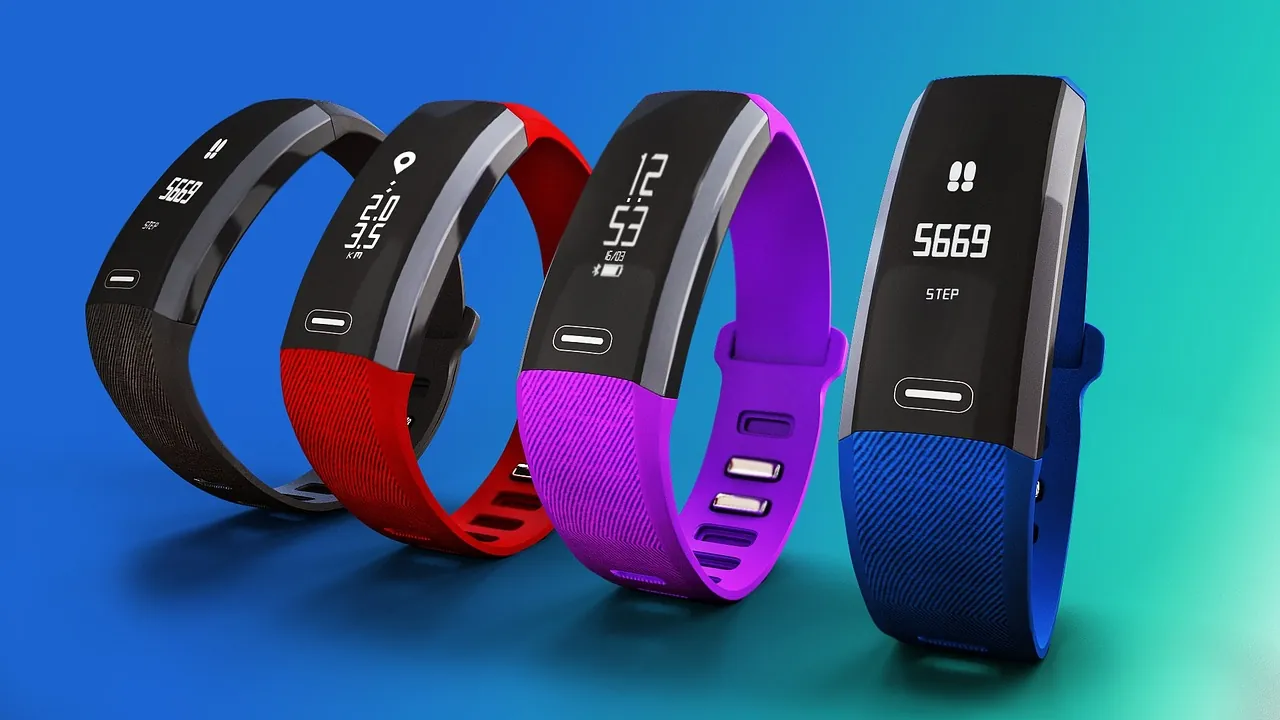
You don’t need every feature on the market. Follow these steps to narrow down what actually matters for your daily routine.
- Identify your primary activity. If you walk or do yoga, a basic step counter is enough. Runners need built-in GPS so they don’t have to carry a phone, and swimmers must check the specific water resistance rating before buying anything.
- Check the battery life. Trackers without bright screens last up to two weeks, while smartwatch-style devices need charging every few days. Pick one that fits how often you’re willing to plug it in.
- Verify smartphone compatibility. Some brands won’t sync with certain phones. Check the box or the product page to make sure it works with your exact operating system before you buy it.
- Look at the health sensors. A heart rate monitor is standard now. If you want sleep tracking or blood oxygen readings, confirm the model actually includes those specific sensors, since cheaper bands skip them.
- Try the strap material. Silicone is easy to wipe clean after sweating. Fabric bands feel softer but hold onto moisture longer, which can irritate your skin during hot weather.
- Read the screen in sunlight. Go outside if you test it in a store. Dim displays are hard to read while running on a bright day, forcing you to stop and shade the screen just to see your pace.
- Review the app interface. The companion app is where you’ll spend most of your time looking at data. Download it first to see if the layout makes sense to you.
Tip: Don’t pay for built-in GPS if you always run with your phone. Connected GPS uses your phone’s signal and saves a lot of money.
How Much Should You Spend Based on Your Activity?
The price jumps when you add independent location tracking and advanced recovery metrics. Here’s what you get at each level.
| Activity Level | Key Features Needed | Typical Price Range | Battery Life |
|---|---|---|---|
| Casual walking | Steps, basic heart rate | $30 – $80 | 7–14 days |
| Regular running | Built-in GPS, pace alerts | $100 – $250 | 5–7 days |
| Swimming | Water resistant to 50 meters | $150 – $300 | 5–7 days |
| Advanced training | Recovery metrics, route maps | $250 – $500+ | 3–5 days |
If you only need to track steps and sleep, stay in the lowest tier. Paying more for features you won’t use just means you’ll charge the device more often.
Runners often buy a watch without built-in GPS to save money. That forces the watch to borrow your phone’s signal. Your recorded path drifts by several meters on every turn.
Swimmers must check the exact rating before buying. A watch marked water resistant to 50 meters handles pool laps safely. It can’t survive the pressure of scuba diving.
Advanced recovery metrics like training load require weeks of data. The algorithm needs at least fourteen days to establish your baseline. Until then, those expensive numbers are meaningless guesses.
Is It Accurate Enough for Health Tracking?
Yes, modern trackers give reliable data for daily trends, but they aren’t medical tools. Step counts are usually very close to reality. Wrist movements like washing dishes can add false steps.
Pushing a shopping cart keeps your wrist still and erases real ones. Heart rate sensors work well during steady exercise. They struggle during heavy weightlifting because the wrist flexes too much.
If you lift weights often, a chest strap reads electrical signals directly from the heart. It stays accurate even when your forearm muscles contract hard.
For sleep stages, treat the numbers as rough estimates rather than clinical facts. The sensors guess your sleep phase by combining movement and pulse. That isn’t the same as measuring brain waves.
Trackers frequently overestimate deep sleep by twenty minutes or more. The FDA guidance on wearable devices clarifies that most consumer trackers are meant for general wellness rather than diagnosing conditions.
If you notice an irregular heartbeat alert, see a doctor instead of relying solely on the wristband.
What Mistakes Ruin the Experience?

Why does my tracker count steps when I’m sitting?
Wrist-based sensors detect motion, not actual footsteps. Typing, cooking, or gesturing while talking tricks the sensor into adding steps. If this bothers you, wear the device on your non-dominant hand to reduce false counts from small daily movements.
Why does the heart rate drop out during workouts?
A loose strap is almost always the problem. The green lights on the back need constant contact with your skin to read your pulse. Tighten the band one notch higher than your normal wearing spot before you start exercising, especially if you sweat heavily.
Why won’t the tracker sync with my phone?
Bluetooth connections fail when the companion app lacks permission to run in the background. Open your phone’s settings, find the app, and allow background activity. If that doesn’t fix it, restart both the phone and the tracker to clear the old connection.
Frequently Asked Questions
Can I swim in the shower with any fitness tracker?
No, you can’t assume every tracker survives water. Look for a 5 ATM rating, meaning it withstands pressure equal to 50 meters deep. Devices labeled merely “splash-proof” might handle rain but will break under a shower stream or in a pool.
Do I need a subscription to see my data?
Usually no, but some brands lock deeper analysis behind a monthly fee. Basic stats like steps, sleep hours, and heart rate graphs are typically free. Check the manufacturer’s website to see if advanced recovery scores require a paid plan.
How tight should the band be for accurate readings?
It should sit snugly against your skin without leaving deep red marks. Slide one finger under the strap; if it moves freely, tighten it one notch. Too loose blocks the light sensors, while too tight restricts blood flow and skews the pulse reading.
Conclusion
Write down the three activities you do most often this week and cross off any tracker that lacks those specific sensors. Once you narrow the list to two models, download their companion apps on your phone to compare the menus before spending any money.