

A Fitbit fitness tracker is relatively inexpensive depending on the model you pick. The basic bands track steps, heart rate and sleep, while the advanced ones add GPS, ECG readings and a color screen. You’ll get about 5 to 10 days of battery life from most models. This guide covers the features that actually matter, the settings to change first and where each model falls short.
What your Fitbit fitness tracker does
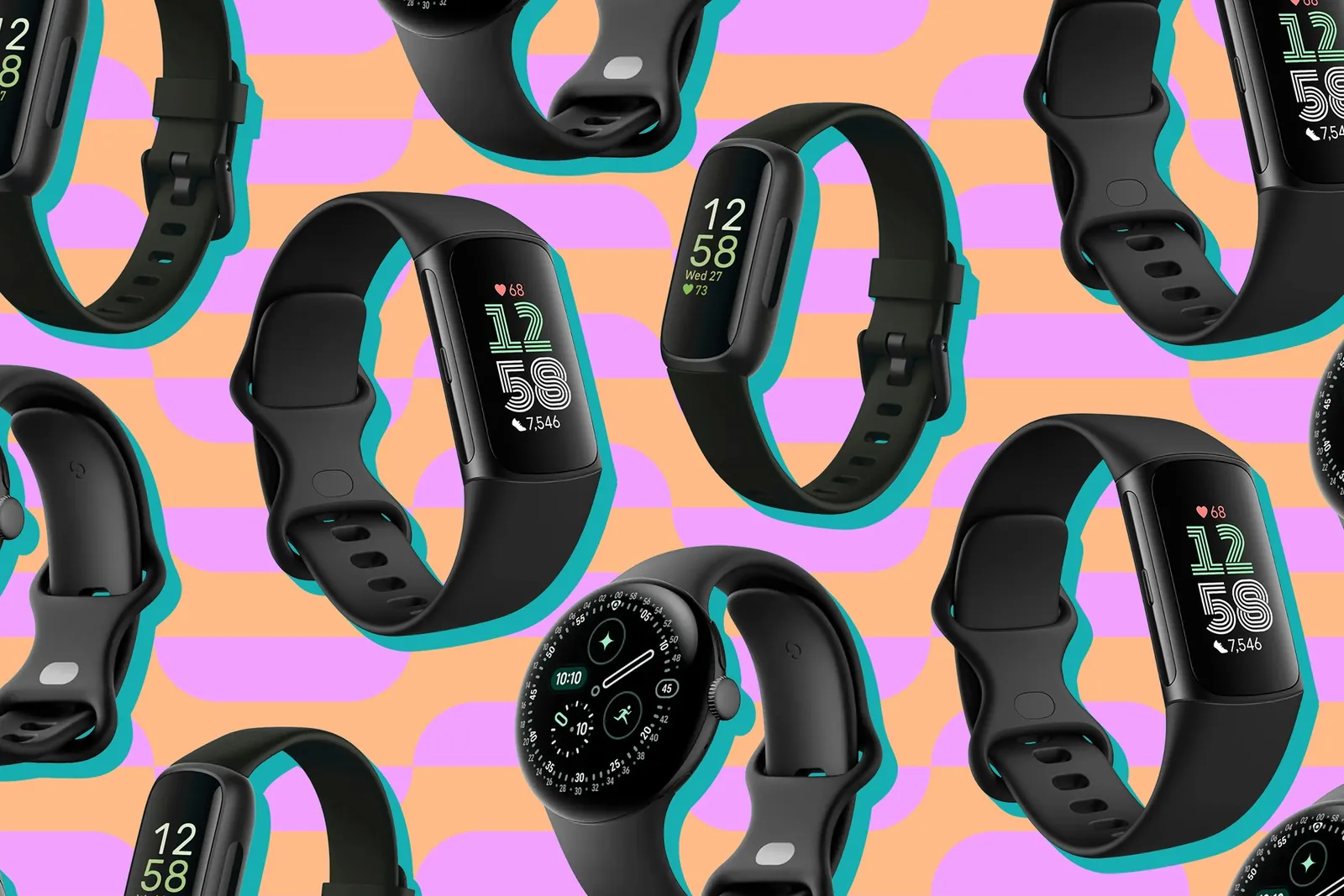
A Fitbit is a small wristband that counts your movement, measures your pulse and tracks how you sleep. It uses a tiny sensor on the back to read blood flow through your skin. That’s how it gets your heart rate without any wires or chest straps.
These trackers are for people who want daily health numbers without carrying a bulky smartwatch. They’re lighter, cheaper and their batteries last much longer than a full watch. You don’t need to be an athlete to use one. A simple walk around the block gives you real data.
The big misconception is that these bands measure calories burned perfectly. They don’t. They estimate energy use based on your heart rate and movement speed. Your actual burn depends on things the band can’t see, like muscle mass or genetics. Treat the calorie number as a rough guide, not a fact.
Fitbit is now owned by Google, so the app connects directly to your phone’s main health tools. You can check the exact sensor specifications on Fitbit’s official product pages before you buy.
How to set up your Fitbit tracker
Getting your new device running takes about ten minutes. Follow these steps in order so the sensors work right from day one.
- Charge the tracker fully using the included cable. A dead battery during setup causes pairing failures. Leave it plugged in until the screen shows 100%.
- Download the Fitbit app on your phone. Create an account using your real height, weight and age. The algorithms need these numbers to calculate your daily goals accurately.
- Turn on Bluetooth on your phone. Open the app and tap “Set Up a Device.” Hold the tracker close to your phone while it searches.
- Select your specific model when it appears on the screen. Enter the four-digit code shown on the tracker’s display to confirm the link.
- Wear the band one finger-width above your wrist bone. If it sits too low near your hand, the green light won’t read your pulse correctly.
- Set your daily step goal in the app. The default is 10,000 steps, but you should lower it if you’re just starting out. Pick a number you can actually hit today.
- Enable sleep tracking in the app settings. Choose your typical bedtime so the device knows when to start recording your rest.
The single judgement call that separates a good result from a bad one is strap tightness. If the band slides around when you swing your arm, your heart rate data will have gaps. If it leaves a deep red mark on your skin, it’s too tight and might cause irritation. Snug enough to stay put, loose enough to breathe.
Fitbit tracker settings and numbers
You’ll refer back to these figures often once you start wearing the device every day. The numbers below assume standard adult sizes; if you buy the smaller band meant for kids or very thin wrists, expect slightly shorter battery life because the physical battery inside is smaller.
| Situation | What to use | How long | What to watch for |
|---|---|---|---|
| Basic step counting | Fitbit Inspire 3 | Up to 10 days | No built-in GPS for runs |
| Daily health metrics | Fitbit Luxe | About 5 days | Screen is small to read |
| Outdoor running | Fitbit Charge 6 | Up to 7 days | GPS drains battery faster |
| Heart condition checks | Fitbit Sense 2 | About 6 days | ECG needs still hands |
| Smartwatch features | Fitbit Versa 4 | Up to 6 days | Heavier on the wrist |
| Swimming laps | Any water-resistant model | Varies by use | Rinse with fresh water after |
| Sleep stage tracking | Charge 6 or Sense 2 | One night | Keep strap snug all night |
Battery life drops significantly if you leave the always-on display active. Turning off continuous heart rate monitoring during desk work also saves power. Check your specific model’s manual for exact charging times.
Getting accurate readings from your tracker
The sensor on the back of the band needs clear contact with your skin to work. Sweat, lotion or a loose strap blocks the green light from reaching your blood vessels. Wipe the sensor with a dry cloth every evening before bed.
If you wear the device while lifting weights, the bending of your wrist confuses the optical sensor. Your heart rate might spike on the screen even when you’re resting between sets. For heavy gym sessions, move the band two fingers higher up your forearm where the muscle doesn’t flex as much.
Don’t trust the sleep stages blindly. The tracker guesses whether you’re in deep or light sleep based on your movement and pulse. Tossing and turning looks like awake time to the sensor, even if you were dreaming. Use the sleep score as a trend over weeks, not a diagnosis for a single bad night.
Water resistance has limits. A rating of 50 meters means it survives swimming pool depths, not scuba diving. Hot tubs are worse than pools because heat expands the rubber seals. Take it off before soaking in hot water.
When your Fitbit tracker stops working
Small problems usually come from software glitches or dirty sensors rather than broken hardware. Try the simplest fix before you reset anything.
| What you notice | What it usually means | What to do first |
|---|---|---|
| Won’t sync with phone | Bluetooth dropped the connection | Toggle phone Bluetooth off and on |
| Heart rate shows dashes | Sensor can’t see your skin | Tighten the strap one notch |
| Battery dies in two days | A setting is draining power | Turn off always-on display |
| Step count seems too high | Arm movements fooled the sensor | Restart the tracker |
| Screen stays black | Software froze completely | Hold the side button 10 seconds |
| Skin turns red underneath | Strap is too tight or dirty | Loosen it and wash the band |
A restart fixes most frozen screens. Hold the physical button on the side for about 10 seconds until the logo appears. If the band still won’t sync after restarting both the tracker and your phone, delete the device from the app and pair it again from scratch.
Safety rules and water limits
Fitbit states clearly that its trackers aren’t medical devices. They shouldn’t be used to diagnose or treat any disease. If you feel chest pain or dizzy spells, go to a doctor instead of staring at your wrist.
The ECG app on the Sense 2 can detect signs of atrial fibrillation. But it requires you to sit completely still with your fingers on the metal edges for 30 seconds. Moving during the reading gives an inconclusive result. The FDA cleared this specific feature for detecting irregular rhythms, not for preventing heart attacks.
Water resistance follows the ISO 22810 standard for 50 meters. That covers showering and surface swimming. It doesn’t cover high-speed water sports or diving. Salt water corrodes the charging contacts over time, so rinse the band under fresh tap water after any ocean swim.
Skin reactions happen when moisture gets trapped under the band. Wash the strap with mild soap weekly. If a rash develops, stop wearing it and let your skin dry out completely for a few days.
Keeping your device running well
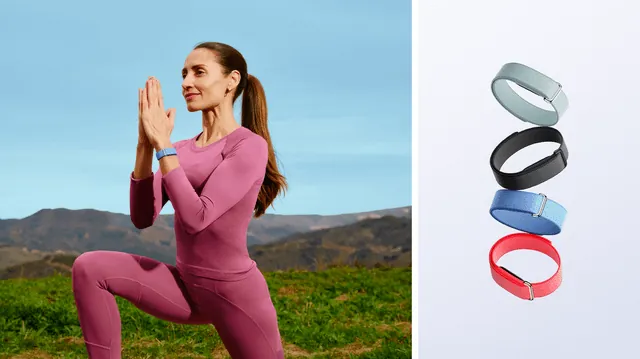
Clean the band and the sensor area as often as your usage requires, following the guidelines in your owner’s manual. Use plain water and a soft cloth. Avoid harsh chemicals or alcohol wipes because they break down the rubber coating over time.
Pay close attention to the green optical sensors on the back. Sweat and lotion leave a film that scatters the light. Wipe them gently with a dry microfiber cloth after workouts. A dirty sensor forces the device to boost its LED brightness, which drains the battery noticeably faster.
Charge the tracker when it hits 20% instead of waiting for it to die completely. Lithium-ion batteries last more total cycles when they aren’t drained to zero every time. A full charge usually takes under two hours.
Use the cable that came in the box whenever possible. Cheap replacements often supply uneven current that confuses the charging circuit. If your tracker gets unusually hot while plugged in, unplug it immediately and try a different adapter.
Update the firmware whenever the app prompts you. These updates fix bugs that drain battery or mess up step counting. Connect to Wi-Fi through your phone to download them faster.
Store the device in a cool, dry place if you take it off for a few weeks. Extreme heat in a parked car damages the battery permanently. Don’t leave it sitting in direct sunlight on a dashboard.
Leaving a lithium-ion battery fully empty during long storage can push it below its safe voltage threshold, making it refuse to turn on again.
Replace the strap when the holes start tearing or the pin feels loose. Third-party bands are cheaper, but make sure they match your exact model size so the sensor aligns with your wrist properly.
When a Fitbit fitness tracker isn’t the right complete buying choice
If you train for marathons and need detailed route maps with elevation changes, a dedicated GPS watch serves you better. Fitbit’s built-in GPS works for casual runs, but it lacks the advanced mapping and interval timers that serious runners rely on. Brands like Garmin or Coros build watches specifically for endurance sports.
If you need to reply to emails, install third-party apps or make phone calls from your wrist, you actually want a smartwatch. Fitbit devices show notifications, but you can’t type responses or browse an app store. An Apple Watch or Samsung Galaxy Watch handles those tasks, though their batteries rarely last more than two days.
If you only care about counting steps and nothing else, a basic pedometer clipped to your shoe costs a fraction of the price. Paying for heart rate sensors and sleep tracking makes no sense if you never open the app to look at that data. Buy the features you’ll actually check.
Picking the right tracker comes down to what you’ll wear every single day. A device that sits in a drawer because the screen is too small or the band itches does you no good. Match the features to your actual routine, keep the sensor clean and charge it before it dies completely. That’s how you get real value from the numbers on your wrist.