

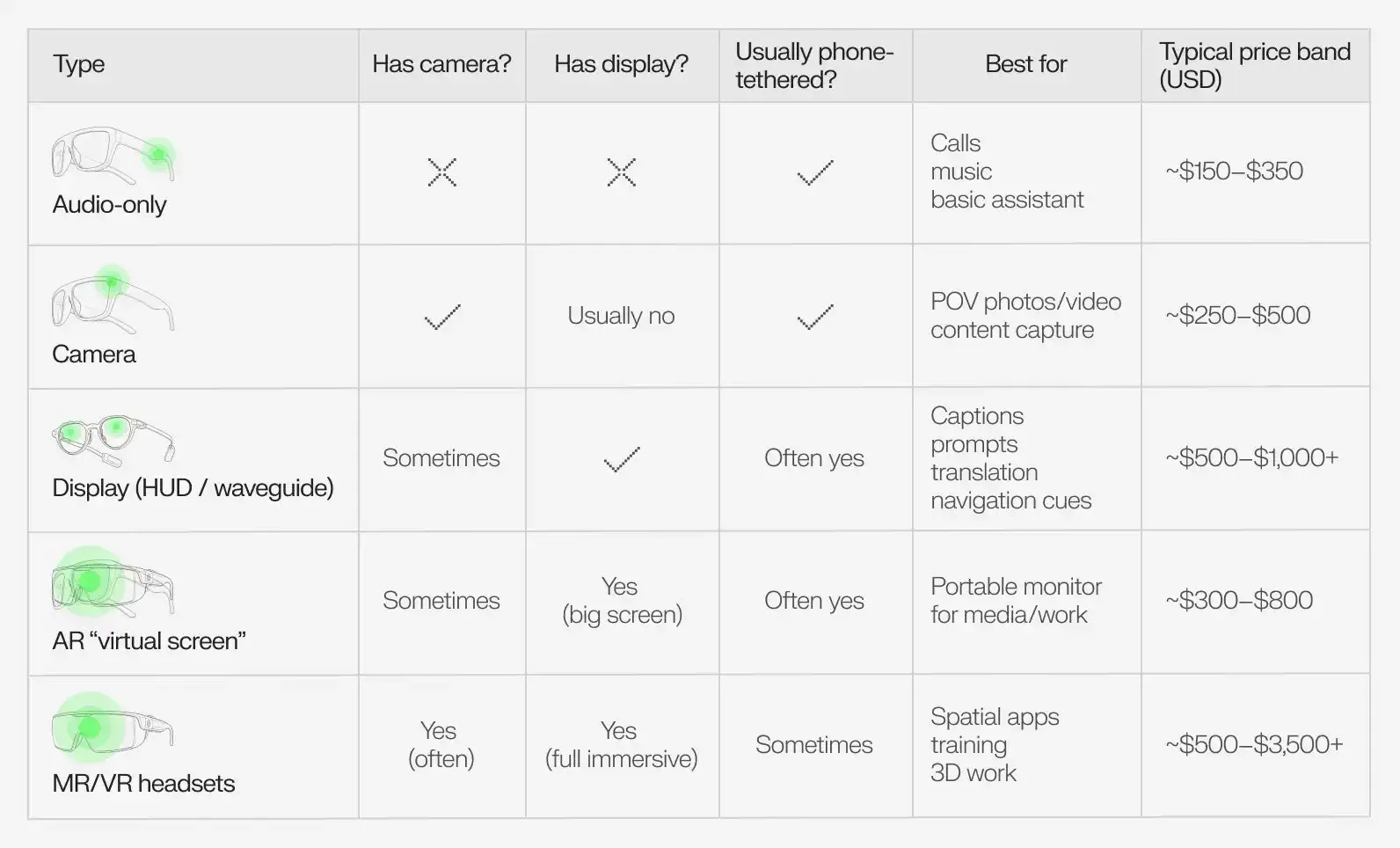
Smart glasses are wearable computers built into frames that look like ordinary glasses, and this overview covers their features, uses, and limitations. They show digital information in front of your eyes, take photos, record video, play audio, and let you make calls without touching your phone. Some models add a small screen in one lens, while others project light across both lenses. They range from simple audio-only frames that play music to full augmented reality devices that place digital objects over the real world.
What smart glasses actually are

Smart glasses are glasses with built-in technology. Unlike regular eyewear, they contain tiny speakers, microphones, cameras, batteries, and sometimes a small display. You wear them like normal frames, but they connect to your phone over Bluetooth or Wi-Fi to play music, take calls, capture photos, or show notifications. Some versions also include voice assistants so you can speak commands instead of tapping the frame.
People use them for hands-free calls while walking, for recording video from a first-person view, for listening to podcasts without earbuds, and for seeing directions overlaid on the street ahead. Workers in warehouses, factories, and hospitals use them to scan barcodes, follow repair steps, or consult specialists remotely while keeping both hands free. They’re meant for anyone who wants information or media without reaching for a phone.
The common misconception is that smart glasses always show a bright screen across your vision. Most models do not. Many are audio only, with no display at all, and even the ones with screens usually show small amounts of information rather than replacing what you see. Privacy is another point of confusion: because some models have cameras, people often assume they record constantly, when in fact most only record when you press a button or use a voice command.
How to choose and use smart glasses
Picking smart glasses starts with deciding what you actually need them for, because the right model depends entirely on the job.
- Decide your main use. If you only want music and calls, audio-only frames cost less and last longer on a charge. If you need to see directions or data while working, choose a model with a display.
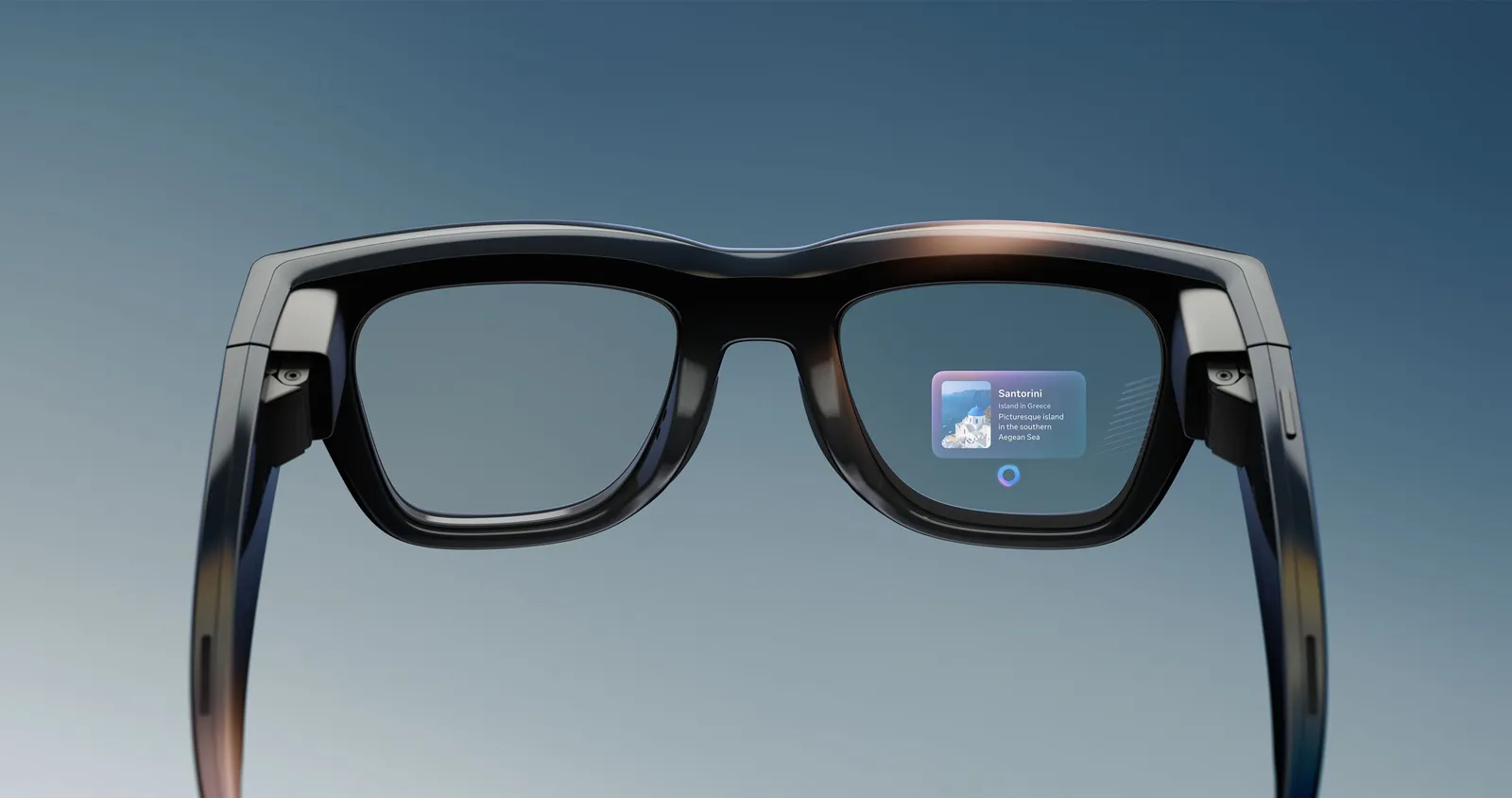
- Check the display type. Audio frames have no screen. Monocular models put a small display in one lens, while binocular models spread information across both lenses.
- Try the fit before you buy. Smart glasses are heavier than regular frames because of the battery and electronics, and they press differently on your nose and ears.
- Pair them with your phone. Most models connect through Bluetooth and a companion app, which you download and set up before you leave the house.
- Learn the controls. Tap gestures, side buttons, and voice commands vary by brand, so practice them somewhere quiet before using the glasses in traffic.
- Set privacy expectations. Turn recording lights or indicators on if your model has them, and never film people without asking where local custom or law requires it.
The judgement call that separates a good result from a bad one is battery life versus weight. A model with a bigger display and longer battery is heavier on your face, while lighter frames run out of power faster. If you’ll wear them all day, comfort matters more than screen size; if you’ll use them for short trips, battery matters less.
Smart glasses features, uses, and limitations by type
The table below covers the main categories you’ll see when shopping, with the figure that matters most for each.
| Situation | What to use | The figure that matters | What to watch for |
|---|---|---|---|
| Music and calls only | Audio-only frames | About 6 to 8 hours of playback per charge | No screen, no camera |
| Photos and short video | Camera glasses | 1080p video on most models | Short recording time, often under 30 minutes |
| Directions and notifications | Monocular display | Small screen in one lens | Information in only one eye |
| Work and remote support | Binocular display | Both lenses show data | Heavier and more expensive |
| All-day wear | Lightweight frames | Under 50 grams where possible | Shorter battery life |
| Prescription wearers | Frames with lens options | Custom lenses available | Adds cost and delivery time |
Every row is useful on its own. The playback figure assumes typical volume levels; turn the volume up and the hours drop. Display brightness changes outdoors, so a screen that looks clear indoors may wash out in sunlight.
Details that separate good results from bad ones
Experienced users prepare before they leave the house. They charge the glasses fully, pair them with their phone, and test the controls at home. They also download offline maps or music so the glasses still work in spots with weak signal. Order matters too: put the glasses on before you start walking, adjust the nose pads while standing still, and only then step into traffic.
Partway through use, experienced wearers check the battery level through the companion app and lower the volume to save power. They also know that avoiding rough cloths when cleaning the lenses and keeping the glasses out of heavy rain unless the maker rates them for water resistance are key to maintenance. A scratch on a display lens can’t be polished out, and water damage voids most warranties.
The catch here is battery life, which varies by model and by how brightly you run the display or how loud you play audio. Check your own model’s published rating to know what to expect.
Common problems and quick fixes
| What you notice | What it usually means | What to do first |
|---|---|---|
| No sound from the speakers | Bluetooth disconnected or volume too low | Re-pair the glasses in your phone’s settings |
| Battery dies in an hour | Display on high brightness or loud volume | Lower brightness and volume, then recharge fully |
| Camera won’t start | Storage full or app needs permission | Free up space or grant camera permission in the app |
| Frames feel heavy after an hour | Weight of battery and electronics | Take breaks, or switch to lighter audio-only frames |
| Display washes out outdoors | Bright sunlight overpowers the screen | Use the glasses in shade, or rely on audio cues |
| App won’t connect | Phone software out of date | Update the phone and the companion app |
Each cause listed is one I am certain of. If your problem isn’t in the table, restart the glasses and the phone, then check the maker’s support page for your exact model.
Rules and checks before you buy
No single government agency publishes a universal rule that changes what you may do with smart glasses, so this section covers what you should check yourself first. Look up these five things for your own case:
- Whether your state or city restricts recording in public places, since some places require consent from everyone being recorded.
- Whether wearing any display while driving is legal where you live, because some jurisdictions treat it like a distracted-driving offense.
- Whether your workplace allows cameras, since many offices, factories, and secure sites ban recording devices.
- Whether the frames take prescription lenses, if you need vision correction.
- Whether the maker offers a warranty and where repairs are handled, because smart glasses are harder to fix than ordinary frames.
If a step needs training, a licence, or equipment most people don’t have, say so and point to whoever handles it properly. For prescription lenses, see an optometrist. For legal questions about recording or driving, check your local transportation or government website.
Keeping them working after you buy
Store smart glasses in a hard case when you aren’t wearing them, because the display and electronics are more fragile than ordinary frames. Clean the lenses with a microfiber cloth only, and never use window cleaner or alcohol on coated surfaces. Charge them periodically even if you don’t use them, as the frequency depends on your usage and the owner’s manual is the final authority on battery care.
There’s no single interval I can name for service, because it depends on the model and how often you use them. The sign that attention is due is shorter battery life, crackling sound, or a display that flickers. When that happens, contact the maker’s support team rather than trying to open the frames yourself.
When smart glasses are the wrong choice
Smart glasses aren’t right for everyone. Here are three situations where another device works better, and what to use instead.
If you need to watch video or read long text, smart glasses are the wrong choice. Their screens are too small for extended viewing, leading to eye strain and poor comprehension. Use a phone or tablet instead to ensure you can comfortably process complex information.
If you want full immersion in a digital world, smart glasses are the wrong choice. They overlay information on the real world rather than replacing it. If your goal is total sensory isolation for gaming or simulation, a virtual reality headset fits better.
If you work in a secure facility or a place that bans cameras, smart glasses are the wrong choice. Because they house outward-facing lenses, they’re often prohibited in sensitive areas. Leave them at home and use a standard phone or radio where permitted. Even if the camera is disabled, security teams may still flag the hardware as a potential risk to privacy.
Related guides
- Wearable Sleep Trackers: Features and Limitations
- Fitbit Versa Series: Features and Buying Guide
- Fitbit vs Apple Watch: Features and Differences
Frequently asked questions
Can smart glasses replace my regular glasses?
Yes, many models can be fitted with prescription lenses, but this adds cost and delivery time. Check with the maker or your optometrist before ordering.
Why do some smart glasses have no screen?
Because many models are built for audio only. They play music, podcasts, and calls through speakers in the arms without showing anything in the lenses.
How long does the battery last?
About 4 to 8 hours on a single charge, depending on the model and whether you use the display, camera, or speakers heavily. Check your model’s published rating for the exact figure.
Is it safe to wear them while driving?
It depends on where you live. Some states and cities restrict any display visible to the driver, so check your local traffic rules before wearing them on the road.
What happens if I record someone without permission?
It may break the law in places that require consent from everyone being recorded. Know the rules in your state or city before you use the camera.
How much do they cost?
These glasses are inexpensive relative to the cost of traditional high-end eyewear. The figure depends on features, brand, and whether you need prescription lenses.
Do they work with any phone?
Most models connect to both iPhone and Android through Bluetooth, but some features need the maker’s app, so check compatibility before you buy.
Conclusion
As technology improves, these devices will become even lighter and more helpful in our daily routines. If you’re curious about trying them, head to a local electronics store to test a pair yourself. You’ll quickly see how they might change the way you interact with the world around you.