

Smart glasses battery life runs from about three to eight hours on a full charge, and most pairs reach full power again in roughly one to two hours. The number changes by model and by how heavily the screens, speakers and cameras are used, so the same pair can last much longer on some days than others. This guide covers how charging works, what affects the time you get, the settings that drain power fastest, and when a different device is the better choice.
What smart glasses battery life means
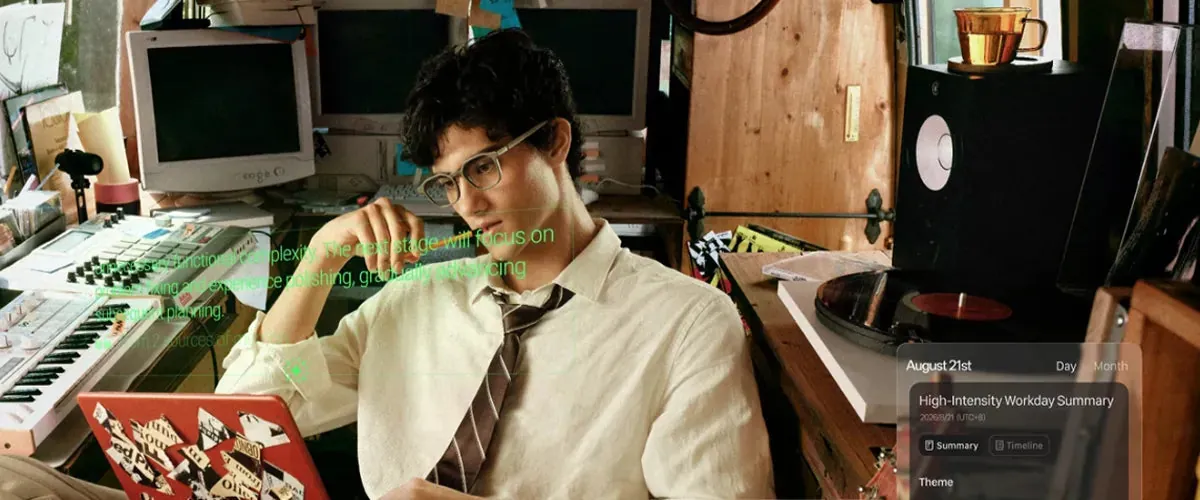
Smart glasses are eyewear with a small battery, a display, speakers and sometimes a camera built into the frames. You wear them like ordinary glasses while they show information, play audio or record video in front of your eyes. The battery life is the hours of use you get before the frames need recharging, and charging means plugging the glasses into a power source—usually through a magnetic cable or a charging case—to refill that battery.
Most people expect smart glasses to last all day like a phone, but they do not. The battery inside the frames is tiny because it has to stay light enough to wear comfortably. That means real-world use is measured in hours, not days. If you aren’t sure how long a specific model lasts, check the maker’s official specifications page for that exact model.
How to charge smart glasses
- Find the charging port or magnetic contacts on your frames, usually on the temple arm or inside the folding hinge.
- Plug the charging cable into a wall adapter or a computer USB port, not into a fast-charging brick unless the maker says it’s safe.
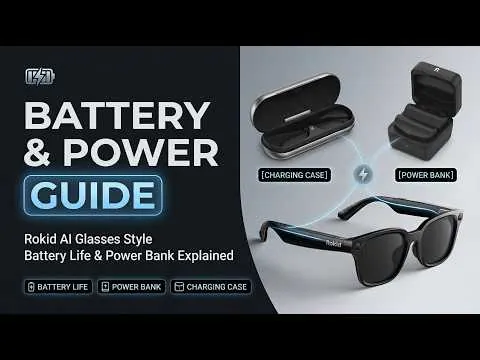
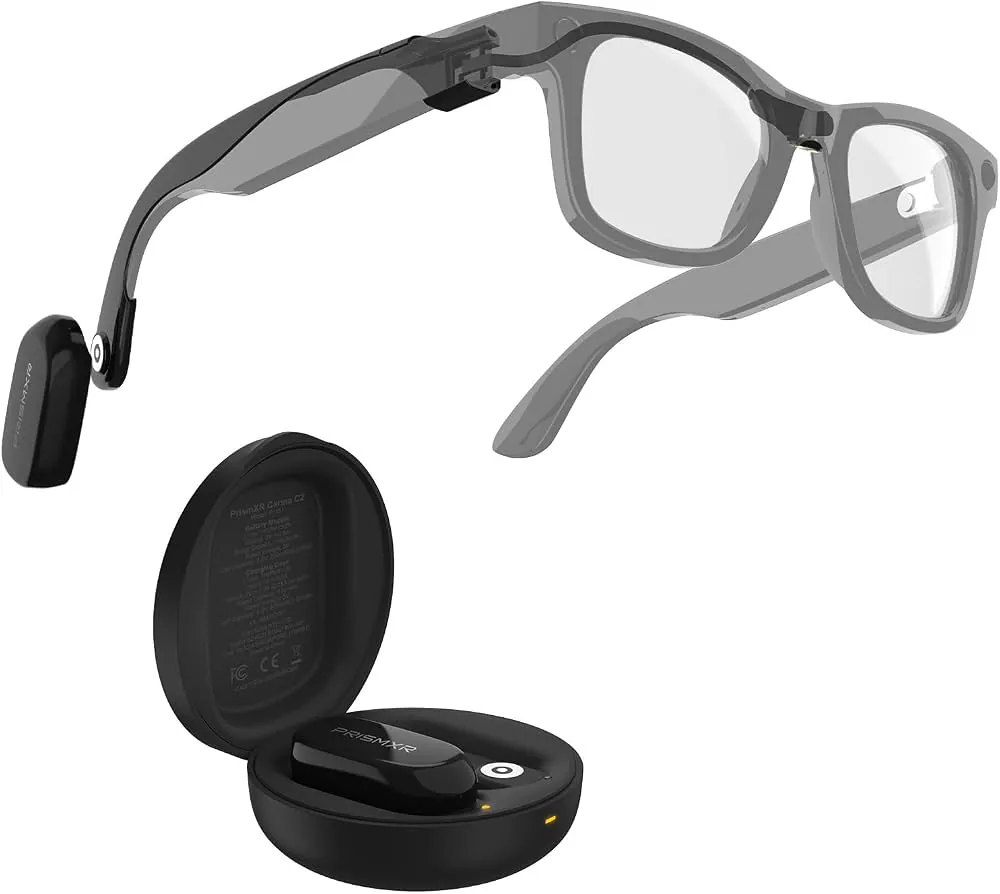
- Attach the cable to the glasses or place the glasses in their charging case, making sure the contacts line up.
- Watch for the indicator light: red or amber usually means charging, while green or off means full.
- Unplug when the light shows full, because leaving them connected longer than needed can wear the battery down over time.
- Store the case and cable together so they’re ready when the battery runs low.
While modern devices manage charging automatically, it’s best practice to follow the manufacturer’s guidance regarding charging habits. If your pair has a case that doubles as a power bank, charge the case based on your usage and consult the owner’s manual for the recommended frequency.
Key numbers and settings at a glance
The figures below cover the main variations you’ll face with smart glasses battery life and charging.
| Situation | What to use or do | The figure that matters | What to watch for |
|---|---|---|---|
| Light audio use | Music or calls only | 6 to 8 hours | Volume at medium or lower |
| Heavy display use | Video or navigation on screen | 3 to 5 hours | Brightness turned up |
| Camera recording | Video or photo capture | 1 to 3 hours | Battery drops quickly |
| Charging from empty | Wall adapter or charging case | 1 to 2 hours | Indicator light turns green |
| Case as power bank | Recharge glasses from the case | 1 to 2 extra full charges | Keep the case charged too |
| Standby | Not in use, still powered on | 1 to 3 days | Battery still drains slowly |
These numbers assume a typical modern pair at room temperature. Cold weather can shorten the time you get, and a very warm room can slow charging. Check your model’s own specifications for its exact figures.
What separates good results from bad ones
Experienced users lower the display brightness before they leave the house, because the screen is one of the biggest power draws on the frames. They also turn off the camera and microphone when they aren’t actively recording, since those sensors keep drawing power even in the background. A quick check of the battery level before heading out prevents the frames from dying halfway through the day.
The difference between a reliable pair and a dead device often comes down to heat management. High-intensity tasks like live streaming or heavy augmented reality rendering generate internal heat, which forces the battery to work harder and drain faster. By closing background apps that sync data over cellular networks, you reduce this thermal stress significantly.
They charge the glasses according to the manufacturer’s instructions, which helps maintain battery health. They keep the charging contacts clean with a dry cloth, since dust or sweat on the pins can stop the cable from making a connection. And they leave the glasses alone while they charge instead of wearing them with the cable attached, which can strain the port.
Common problems and quick fixes
| What you notice | What it usually means | What to do first |
|---|---|---|
| No light when plugged in | Cable not seated or dead outlet | Try a different cable and power source |
| Light stays red for hours | Battery very low or faulty port | Leave it plugged for 30 minutes, then check again |
| Dies much faster than advertised | Heavy features turned on | Lower brightness and turn off the camera |
| Case won’t charge the glasses | Case battery is empty | Recharge the case first |
| Gets warm while charging | Normal in small amounts | Unplug if it feels hot to the touch |
If the glasses still won’t charge after trying a different cable and outlet, stop and contact the maker’s support team rather than forcing the port open.
The rules that apply
Look up these things before you rely on your smart glasses for a full day:
The advertised battery life for your exact model, on the manufacturer’s specifications page. Note that these estimates often assume idle states, so expect shorter performance if you use integrated cameras or constant audio streaming.
The recommended charger and cable. Using a high-wattage wall adapter designed for laptops can bypass the safety protocols built into smaller frames, potentially causing the battery to overheat or degrade prematurely.
Whether airline rules allow the glasses and their case in carry-on or checked baggage. Lithium-ion batteries are strictly prohibited in checked luggage due to fire risks, so always keep them in your personal item.
The warranty period and what it covers for battery replacement. Some policies treat batteries as consumable parts, meaning they’re only covered for a fraction of the total hardware warranty.
If a step needs a repair, a replacement battery, or anything that means opening the frames, go to the manufacturer or an authorised service centre instead of doing it yourself.
Keeping it working afterwards
Store your smart glasses in their case when you aren’t wearing them, and keep the case somewhere dry at room temperature. Charge the glasses every few weeks even if you aren’t using them, because a battery left completely empty for months can lose its ability to hold power.
Wipe the charging contacts with a soft, dry cloth if they look dusty. Never use water or cleaning spray on the frames, as moisture can corrode the delicate pins or short the internal circuitry.
There’s no universal interval for battery service because every model ages differently. The sign that attention is due is when the battery no longer lasts as long as it did when the glasses were new, or when charging takes much longer than before.
If you notice the glasses getting unusually hot while charging or failing to reach a full charge, stop using them immediately. At that point, contact the manufacturer about a battery check or replacement. Professional service ensures the seals remain intact, protecting the device from future environmental damage.
When to use a different approach
If you need a device that lasts all day without recharging, smart glasses are the wrong choice—a phone or a pair of ordinary wireless earbuds will go much longer on a single charge. For long flights or full workdays away from power, bring a power bank and a device with removable or swappable batteries instead.
If you mainly want music or podcasts without a display, dedicated wireless earbuds usually give more listening hours and cost less. And if you need to record video for hours at a time, a small action camera handles the job better than smart glasses, whose camera drains the battery fastest of all.
Consider the physical limitations of the frame. Because these glasses must remain lightweight, manufacturers prioritize comfort over larger, heavier power cells. If your primary goal is extended productivity, look for devices that offload processing to your phone. This approach keeps the glasses running significantly longer by limiting their internal power consumption.
Related guides
Frequently asked questions
How long do smart glasses last on one charge?
Most models last between three and eight hours on a full charge, depending on the model and how you use them. Audio-only use stretches toward the top of that range, while video, navigation and recording push toward the bottom. Check your model’s specifications for its exact figure.
How long does it take to charge smart glasses?
A full charge usually takes about one to two hours from empty, assuming you use the charger the maker recommends. Some cases can top up the glasses faster in short bursts. The indicator light tells you when charging is done.
Can I charge smart glasses with any USB cable?
No. Use the cable and charging contacts that came with your glasses, or a replacement from the manufacturer. A cable that fits physically may not deliver the right power for the small battery inside the frames.
Is it safe to leave smart glasses charging overnight?
It’s generally safe to leave smart glasses charging overnight, though you should always follow the specific instructions provided by the manufacturer.
What drains the battery fastest?
The display at high brightness, the camera recording video, and loudspeaker volume all drain the battery fastest. Turning those down or off when you don’t need them makes the charge last longer.
Why does my battery die faster than advertised?
Advertised figures assume light use at room temperature. Cold weather, high brightness, active cameras and constant screen use all shorten the time you get in real life.
Can I replace the battery myself?
Usually not. The battery is sealed inside the frames on most models, so opening them can break the glasses or void the warranty. Contact the manufacturer or an authorised service centre for a battery check.
Conclusion
Smart glasses give you a few hours of hands-free use before they need a charge, and the real number depends on your model and what you do with them. Lower the brightness, turn off the camera when you aren’t recording, and unplug when the light shows full to get the most from every charge.