

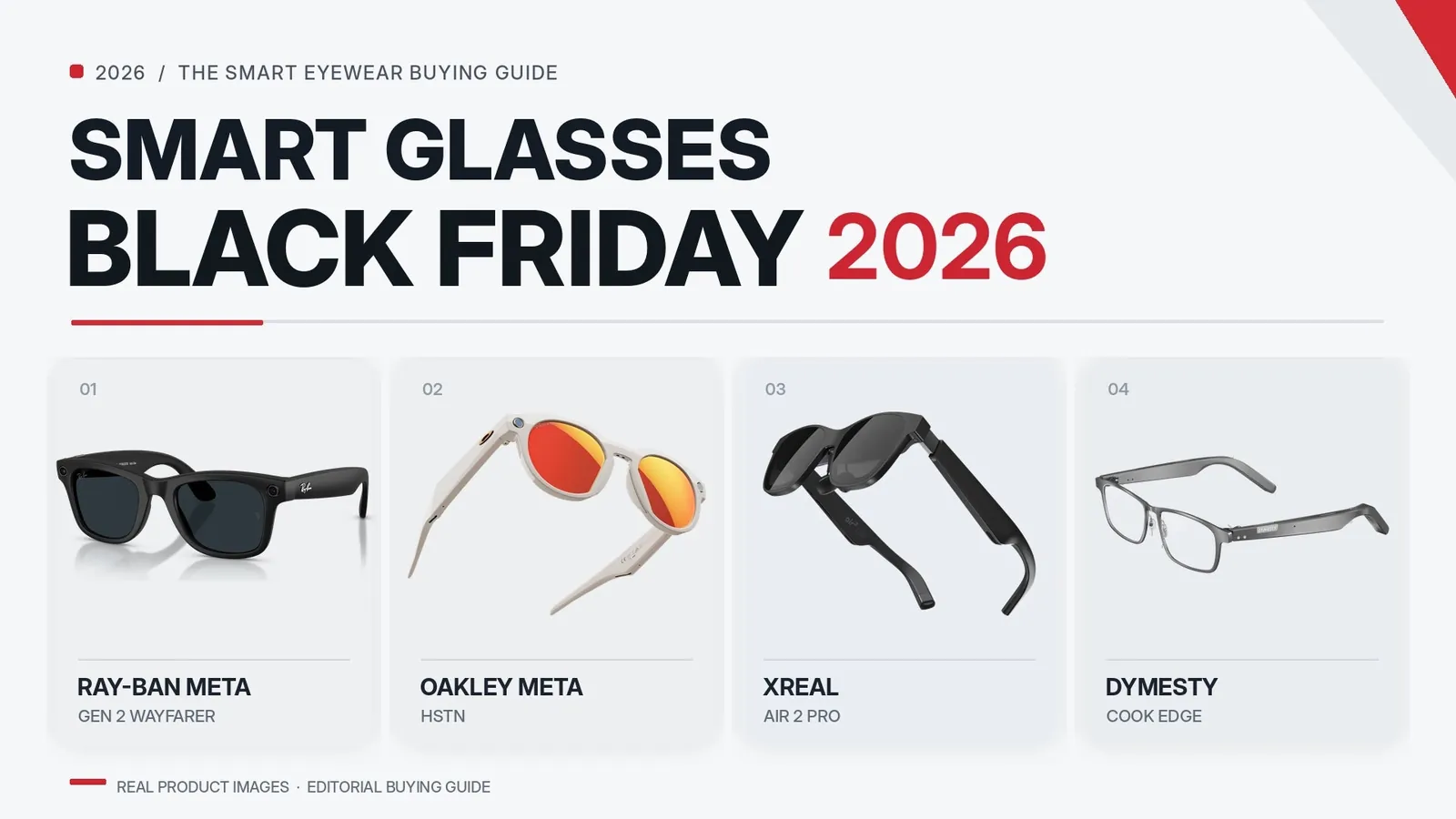
This buying guide identifies the Ray-Ban Meta smart glasses as the best choice for most people because they combine cameras and audio with a standard frame design. A different model may be better if you require prescription lenses, as many options do not support them well.
Smart glasses compared

You can buy smart glasses as audio-only wearables, camera-equipped social glasses, or full augmented-reality headsets that project information over the real world. Each serves a different purpose, and none does everything well.
| Method | How long | Effort | Cost | Best for |
|---|---|---|---|---|
| Audio-only smart glasses | All-day battery | Low | low | Music and calls without blocking your ears |
| Camera smart glasses | About 4–6 hours active use | Low | medium | Photos, video, and sharing to social apps |
| Augmented reality glasses | 1–3 hours per charge | Medium | high | Navigation and information overlaid on your view |
Audio-only frames function primarily as open-ear headphones. They excel when you need to maintain situational awareness, such as hearing traffic while cycling or listening for colleagues in an office. Because they lack cameras or complex displays, they’re lightweight and rarely feel intrusive during extended wear.
Camera-equipped glasses prioritize content creation. They allow you to capture a first-person perspective without reaching for your phone. These are ideal for documenting hands-on tasks or spontaneous moments where holding a device would break your immersion. However, the constant processing required for high-quality video recording means these frames require more frequent charging than audio-only alternatives.
Augmented reality glasses shift the focus to digital utility. By tethering to a phone or computer, they project maps, subtitles, or virtual screens directly into your field of view. This is the most demanding category, requiring a wired connection or high-performance wireless data. You should choose these if you need to multitask or view complex data while moving.
The trade-off is always between utility and physical comfort. If you prioritize battery life and ease of use, stick to audio-only. If you require advanced digital overlays, be prepared to manage the heavier weight and shorter runtime inherent to AR hardware.
Ray-Ban Meta smart glasses
These frames look like regular Ray-Ban sunglasses, concealing cameras, microphones, and speakers within the arms; you can tap the side to capture a photo, hold it to record video, or ask Meta AI questions about your surroundings.
- Charge the case fully before the first wear.
- Open the Meta View app on your phone and pair the glasses over Bluetooth.
- Tap the capture button on the temple to take a photo, or press and hold for video.
- Say “Hey Meta” to ask the built-in assistant to identify objects or translate text.
- Place the glasses back in the case to recharge between uses.
The real strength here is the open-ear audio design. Because the speakers sit inside the arms rather than inside your ear canal, you maintain full situational awareness. You can listen to podcasts or take calls while still hearing traffic or ambient conversation. This makes them a safer choice for urban commuters than traditional earbuds.
They’re good at taking discreet photos and playing music without anything in your ears, and the lenses come in several tints. The honest weakness is battery life: heavy camera use can drain them in a few hours, so they aren’t an all-day device if you record constantly.
If you plan to use these for long trips, keep the charging case in your pocket. The case holds multiple charges, allowing you to top off the battery while you grab coffee or sit on a train.
Because they record video and audio in public, check your local privacy rules before filming other people. Be mindful of the small LED indicator on the frame, which signals to others that you’re recording. This feature is essential for maintaining social etiquette in crowded spaces. Always prioritize consent when capturing footage of strangers in private or sensitive environments.
Bose Frames audio glasses
Bose Frames skip cameras entirely and focus on sound. Tiny speakers in the temples beam audio toward your ears while leaving your ear canals open, so you can still hear traffic and conversations around you.
This open-ear design creates a private soundstage that feels natural rather than isolating. Because the audio is directional, people standing a few feet away rarely hear what you’re listening to, even at moderate volumes.
- Press the power button on the temple until the light flashes.
- Open Bluetooth settings on your phone and select the frames from the device list.
- Tap the touch controls on the arm to play, pause, skip tracks, or answer calls.
- Adjust volume with the swipe gestures printed in the quick-start guide.
- Fold the frames and place them in the included case to turn them off and recharge.
They’re good for music, podcasts, and phone calls where situational awareness matters, and they’re lighter than camera models. You can walk through a busy city or ride a bike while maintaining a clear sense of your surroundings.
The genuine weakness is that they can’t take photos or show any visual information at all, so they do nothing for anyone who wants a camera or a display. These are strictly audio-first devices.
If you need prescription lenses, Bose offers compatible frames through its own site. You should confirm your prescription works before ordering, as the curved nature of these specific lenses may not accommodate every high-index or complex prescription type. Check with your optometrist to ensure your specific vision needs align with the frame’s physical constraints.
Xreal Air 2 augmented reality glasses
Xreal Air 2 glasses look like sunglasses but project a large virtual screen in front of your eyes. You connect them to a phone, laptop, or gaming device through a USB-C cable, and the image floats in your field of view while you move around.
- Plug the included USB-C cable into your phone, tablet, or laptop.
- Put the glasses on and adjust the nose pads until the image sits clearly in view.
- Use the dials on the temples to tune the focus for each eye separately.
- Open a video, document, or game on your device and watch it on the virtual display.
- Unplug the cable when you’re done; the glasses draw power from your connected device.
They’re good for watching movies on a big virtual screen, multitasking with several windows, or gaming privately in public. The honest weakness is that they need a cable to a device at all times, so you can’t walk around freely the way you can with the other two types. They also don’t have cameras, and they aren’t a substitute for prescription glasses unless you buy the separate corrective lens inserts.
Which smart glasses should you buy?
If you’re in a hurry, grab the Ray-Ban Meta glasses because they pair to your phone in minutes and need no extra setup. These are ideal for capturing spontaneous moments without interrupting your flow.
If you’re doing this for the first time, start with Bose Frames. They’re simple audio wearables with no camera settings or cables to manage. You get the benefit of open-ear audio while maintaining full awareness of your surroundings.
If you want the best possible result whatever it takes, choose the Xreal Air 2. The virtual screen is larger and sharper than anything audio or camera glasses can show. This is the choice for users who prioritize deep immersion over portability.
The trade-off stays the same whichever you pick. Easier glasses do less, and the most capable pair needs a cable and more setup time.
Consider your primary environment before choosing. If you spend your day moving between meetings and commutes, the Ray-Ban Meta’s hands-free camera functionality provides utility that the others lack.
Conversely, if you intend to use your glasses primarily for media consumption while stationary, the visual fidelity of the Xreal Air 2 justifies the extra physical tether. Think about whether you need a device that enhances your real-world interactions or one that replaces your monitor.
Things that apply to every pair
Before you buy, check whether the frames take prescription lenses or inserts, because not every model does and swapping lenses yourself can break them. If you require vision correction, verify if the manufacturer provides a specific lens insert or if you must visit a specialized optical lab to have custom lenses cut to fit the frame’s unique geometry.
Charge the case fully before the first use, and check the battery partway through a long day so you aren’t caught without power. Most smart glasses rely on a Bluetooth connection that drains power faster than standard eyewear. Keep a portable power bank in your bag to ensure you can top off the case while you’re on the move.
At the end, wipe the lenses with a microfiber cloth and store the glasses in their case to protect the electronics. Moisture and debris can easily compromise the delicate sensors or microphones embedded in the arms.
If a pair needs a prescription fitting, a license to record in public, or any repair beyond basic cleaning, go to an optician or the manufacturer’s support team rather than forcing it yourself. Attempting to pry open the housing to fix a connection issue will almost always void your warranty and risk permanent damage to the internal circuitry.
Frequently asked questions
Can smart glasses take photos and video?
Yes, camera-equipped models like the Ray-Ban Meta glasses can take photos and record video, while audio-only and many AR models cannot.
How long does the battery last?
Camera and audio glasses usually last about 4–6 hours of active use on a charge, while AR glasses often run for only 1–3 hours because the display draws more power.
Is it safe to wear smart glasses while driving?
No, you shouldn’t wear any smart glasses while driving because recording, audio, or a virtual display can distract you from the road.
What happens if the battery dies?
The glasses stop working until you recharge them, and AR models also lose their connection to your phone or laptop at the same time.
Can I get prescription lenses in smart glasses?
Some models support prescription inserts or compatible frames, but many do not, so check the maker’s specifications before you buy.
Why do AR glasses need a cable?
They need a cable because the glasses themselves don’t contain a computer; they draw power and video from the phone, laptop, or console they’re plugged into.
How do I clean the lenses?
Use a dry microfiber cloth and avoid window cleaner or rough fabrics, which can scratch the coating and damage the built-in sensors.
Conclusion
Choosing the right pair is all about how you plan to use them in your daily routine. Before you commit to a purchase, head to a local store to try a few frames on for size. You’ll quickly see which style feels comfortable enough to wear all day long.