

Wearable heart rate monitors track your pulse by shining light into your skin to measure blood flow, providing a reliable estimate of your beats per minute during exercise. Most modern wrist-worn sensors use optical photoplethysmography to detect these changes. This guide covers how these sensors function, how to improve your data accuracy, and the limitations you should know when tracking your fitness metrics.
Understanding Optical Heart Rate Technology
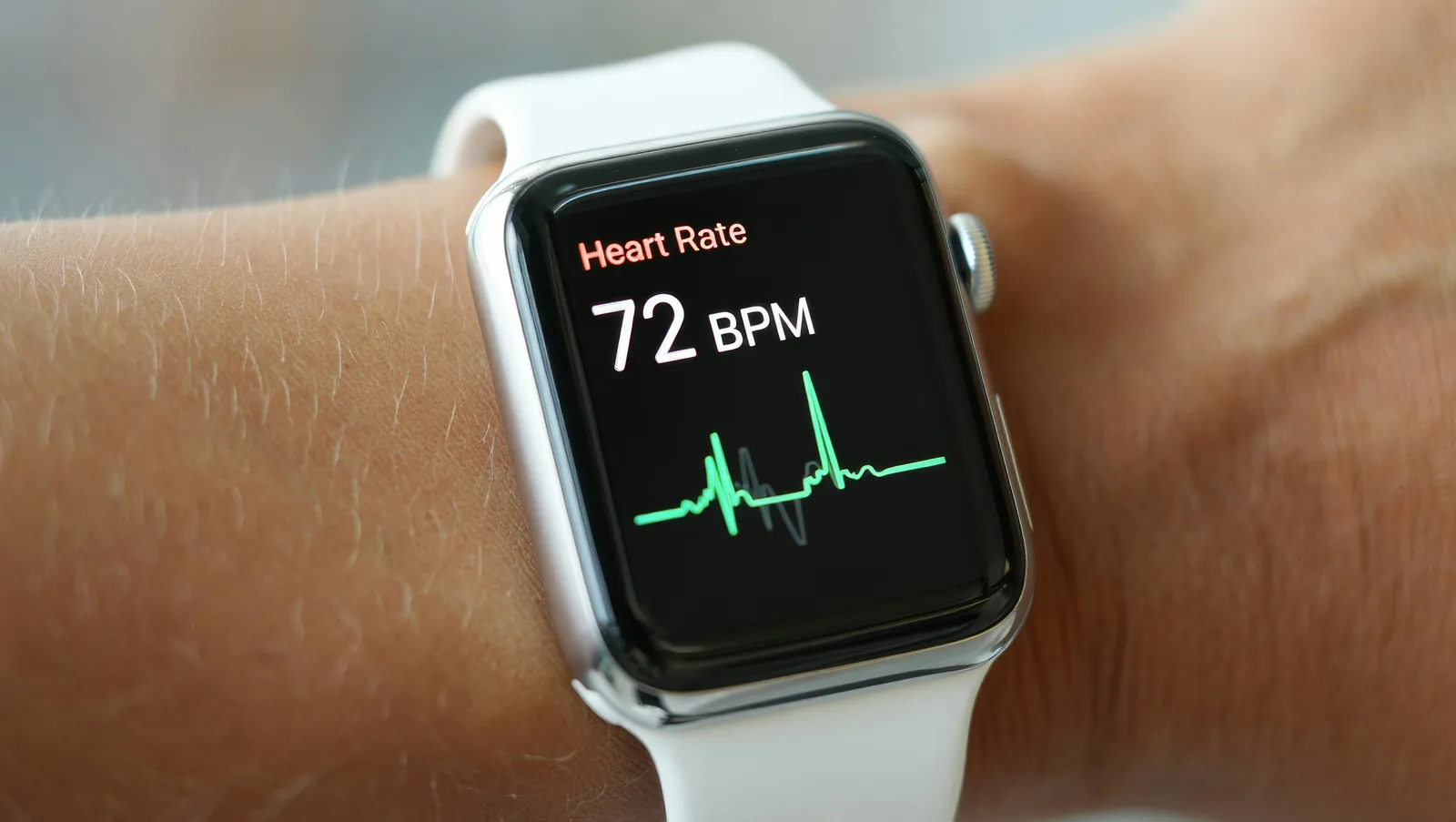
Optical sensors work by emitting green light through the skin of your wrist. When your heart beats, your blood vessels expand and contract, which changes the amount of light reflected back to the sensor. A small computer inside the device calculates your heart rate based on these light intensity changes. This technology is designed for people who want to track their intensity levels during cardio activities like running or cycling.
A common misconception is that these monitors are as precise as a medical-grade electrocardiogram. While they’re highly accurate for general fitness tracking, they can struggle during high-intensity interval training or activities with heavy wrist movement. The sensor must maintain firm contact with your skin to function well. If there’s a gap between the device and your arm, ambient light can interfere with the signal, leading to inaccurate readings.
How to Get Accurate Readings
To get the best data from your device, follow these steps to ensure a proper fit and consistent tracking.
- Fasten your device about one finger-width above your wrist bone to ensure the sensor stays in place.
- Tighten the strap so it’s snug but not uncomfortable; it shouldn’t slide around when you move your arm.
- Clean the back of the sensor after every workout to remove sweat or lotion buildup that blocks the light.
- If you’re doing heavy lifting or rowing, consider moving the device slightly higher up your forearm for better signal stability.
If you notice your heart rate isn’t tracking, try adjusting the strap tension. If the reading remains off, ensure the sensor lens is free of scratches or debris. For medical-grade tracking or if you have a known heart condition, consult with a professional, as the American Heart Association provides guidance on physical activity for maintaining cardiovascular health.
Key Performance Factors
The accuracy of your device often depends on your activity type and how you wear the band. Use this table to understand how different conditions affect your results.
| Situation | What to use | How long | What to watch for |
|---|---|---|---|
| Steady cardio | Wrist band | Continuous | Skin moisture |
| HIIT training | Chest strap | Session duration | Signal drops |
| Heavy lifting | Forearm band | Set duration | Wrist flexing |
| Cold weather | Tight fit | Warm-up time | Poor circulation |
If you’re doing high-intensity work, your pulse changes quickly. If your device shows a steady number that doesn’t match your effort, stop moving for ten seconds to let the sensor catch up.
Best Practices for Consistent Data
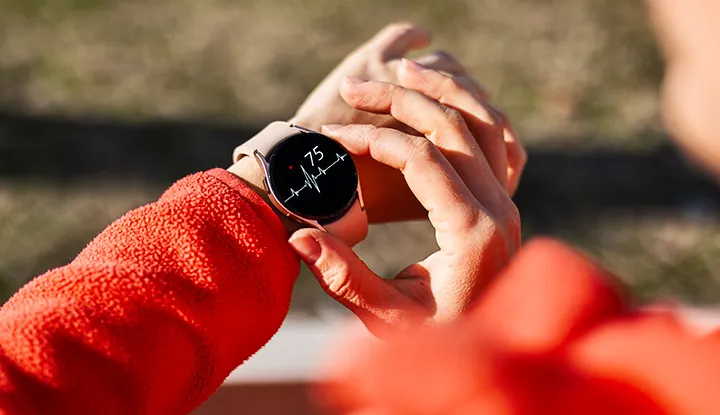
Experienced users know that preparation is the biggest factor in data quality. Before you start, ensure your skin is clean and the band is secure. A loose strap allows light leakage, which introduces noise into your heart rate variability readings. Aim for a fit that’s snug enough to leave a faint indentation on your skin after removal.
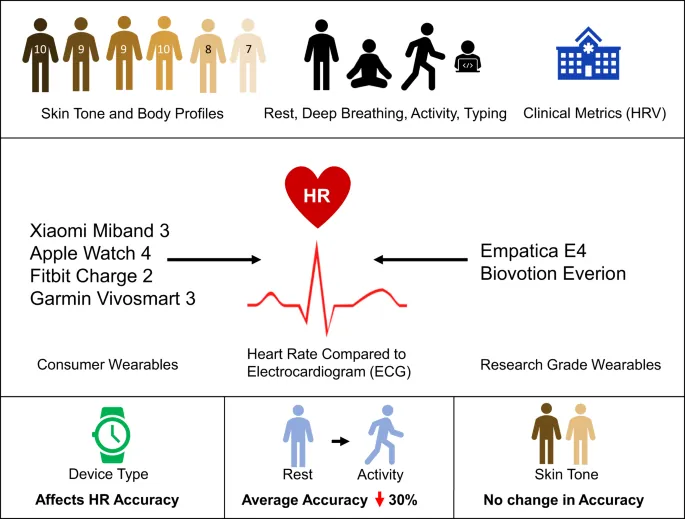
If you have very dark skin or tattoos on your wrist, the optical sensor might struggle to penetrate the surface. In these cases, the sensor often defaults to tracking your cadence rather than your pulse. If your heart rate stays suspiciously flat during intense intervals, switch to a chest strap monitor. These devices use electrical signals to detect the heart’s actual contraction, bypassing the limitations of light-based sensors entirely.
Consistency is also about how you record your data. Always sync your device with your phone app immediately after your session. If you wait, the device might overwrite old data or lose the specific timestamp of your workout.
Keep your firmware updated, as manufacturers often release patches that improve how the software interprets raw sensor data during movement. If you notice your heart rate spikes during the first two minutes of a run regardless of your pace, check for a pending update. This lag often stems from outdated algorithms failing to filter out motion artifacts.
Troubleshooting Common Issues
If your device fails to display a heart rate, the issue almost always stems from the sensor’s inability to maintain a consistent optical path to your capillaries.
| What you notice | What it usually means | What to do first |
|---|---|---|
| No reading | Sensor is too loose | Tighten the strap |
| Erratic spikes | Sweat or debris | Wipe sensor lens |
| “Searching” icon | Poor skin contact | Reposition the device |
| Low heart rate | Cold skin/low flow | Warm up your arms |
If the sensor sits directly over your wrist bone, it can’t maintain the seal required for an accurate reading. Move the device at least one finger-width above the prominent bone toward your elbow. This placement ensures the sensor stays flush against soft tissue even during vigorous movement.
If you see a sudden jump in your heart rate that doesn’t match your effort, ignore that specific data point. This is often a “cadence lock” where the device tracks your rhythmic arm movement instead of your pulse. You can verify this by checking if your heart rate matches your steps per minute. If the numbers align, slow your cadence or tighten the strap by one notch to reduce sensor vibration.
If you have dark skin or tattoos, the sensor may struggle to penetrate the pigment. In these cases, move the device to a spot on your inner forearm where the skin is lighter or less inked. If the reading remains inconsistent, switch to a chest strap monitor. Optical sensors rely on light reflection, and they will always fail if they can’t find a clear, unobstructed path to your blood flow.
Official Standards and Guidelines
The accuracy of wearable sensors isn’t strictly regulated like medical equipment, but many manufacturers follow internal testing standards for consumer electronics. You should know that these devices are tools for fitness, not diagnostic instruments. If you feel dizzy or have chest pain, never rely on a consumer-grade device to assess your health. Seek medical care immediately if you experience symptoms that concern you, regardless of what your watch says.
Most consumer wearables fall under the FDA’s category of “general wellness” products. This means they’re exempt from the rigorous clinical validation required for medical-grade pulse oximeters or EKG monitors. If your device lacks an FDA 510(k) clearance, treat its output as an estimate rather than a clinical fact.
A common mistake is assuming that higher price points correlate with medical-grade precision. Even top-tier devices often struggle with motion artifacts during high-intensity interval training or when worn loosely on the wrist. If you notice a sudden, unexplained spike in heart rate that doesn’t align with your physical exertion, check your pulse manually for 15 seconds. If the numbers still don’t match, trust your own count over the sensor.
If you’re tracking data for a chronic condition like atrial fibrillation, use only devices explicitly cleared for that specific purpose. If your device isn’t labeled for medical use, don’t adjust your medication or exercise intensity based on its readings.
Maintaining Your Device Long-Term
To keep your sensor working, wipe it down with a soft, damp cloth after every workout. Salt buildup from sweat creates a microscopic crust that blocks the light, leading to erratic heart rate readings. Never use harsh chemicals or alcohol, as these degrade the plastic lens and cause permanent fogging.
If you notice the battery life dropping, ensure you aren’t running unnecessary background apps. These processes force the processor to work harder, which drains power and reduces the sensor’s sampling rate. If the device still struggles, check the charging contacts for oxidation. A light scrub with a dry, soft-bristled toothbrush usually clears the debris that prevents a full charge.
When the strap becomes stretched or worn, replace it immediately. A loose fit allows ambient light to leak between the sensor and your skin, which introduces noise into your data. If your heart rate spikes during steady-state exercise, the strap is likely too loose. Tighten it by one notch before your next session. If the spikes persist, the elastic has lost its tension and must be replaced.
You can test the integrity of your strap by pulling it two inches away from your skin. If it doesn’t snap back instantly to press firmly against your pulse point, it’s time for a new one.
Choosing the Right Wearable Heart Rate Monitor
If your primary goal is high-intensity training, a wrist-based monitor might not be enough. Optical sensors often struggle to track rapid fluctuations in blood flow during explosive movements. If you find your readings consistently lag or spike during sprints, switch to a chest strap. These devices use electrical signals rather than light, making them immune to the motion artifacts that plague wrist-worn gear.
If you mostly walk or jog at a steady pace, a standard watch is usually perfect. The best choice depends on your specific movement patterns and how much you value absolute precision during fast-paced intervals.
Most users make the mistake of wearing their watch too loose, which allows ambient light to leak into the sensor. This creates “cadence lock,” where the device tracks your foot strikes instead of your pulse. Ensure the strap is snug but comfortable before starting a workout. If the sensor leaves a faint indentation on your skin, the fit is likely secure enough to maintain contact during heavy sweat.
Monitoring your heart rate provides great insights into your fitness progress over time. However, never prioritize the screen over physical cues. If your device shows a low heart rate but you feel lightheaded or breathless, stop immediately. The sensor is a secondary guide, not a substitute for your own physiological feedback.
If you’re training for a specific heart-rate zone, calibrate your device against a manual pulse count once a month. Place two fingers on your carotid artery for fifteen seconds, multiply by four, and compare that number to your monitor.
Related guides
[…] a sleeve before expecting reliable data in cold environments. This physiological limit affects all optical heart rate monitors regardless of brand or price […]